
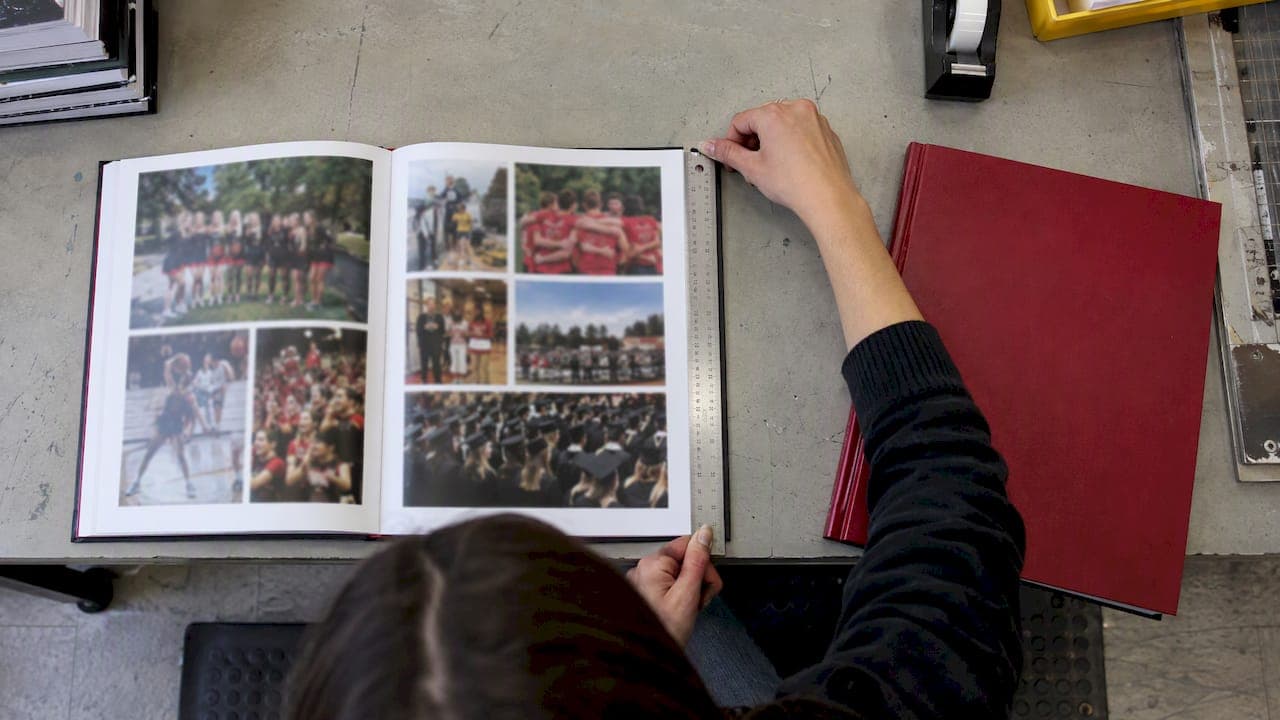
Trim size is the width and height of a yearbook's finished pages after the printer cuts them. For U.S. school yearbooks, the two sizes you will see most are 8.5 x 11 inches and 9 x 12 inches. Smaller formats such as 7 x 10 and 6 x 9 tend to show up in elementary and middle schools or in softcover books. Pick the size first, because every layout, bleed and cover decision comes after it.
This guide is written for yearbook advisers and administrators who have to lock a size before the staff builds a single page. It covers what the term means, which sizes are common, how to choose, and how to set up files so nothing gets cut off.
TL;DR
- Trim size is the finished page size after cutting. Set it before layout, not after.
- Portrait 8.5 x 11 and 9 x 12 are the common high school choices. Smaller portrait sizes suit elementary and middle school books and tight budgets.
- Add a 0.125 inch bleed on all four sides and keep text and faces inside a safe margin.
- Changing size midway means redoing layouts, images and the cover, so decide early and write it down.
- Ask your printer about any nonstandard size before you design for it.
Table of Contents
- What trim size means for a yearbook
- Common yearbook trim sizes in the U.S.
- How to choose a trim size for your school
- Trim size, page count and layout
- Bleed, margins and safe area
- Resolution and photo quality at your chosen size
- Can you use a nonstandard trim size?
- Our perspective on choosing a size
- Get a price for the size you are considering
- A pre-press checklist for your chosen size
- FAQ
- Sources
What trim size means for a yearbook
A printer does not print on sheets the exact size of your pages. It prints on larger sheets and then cuts them down. Trim size is the dimension of a document after it is printed and cut from that larger sheet, and for a bound book it is the finished size. In plain terms, it is the size of one page of your closed yearbook.
Two details trip up new advisers.
First, trim size describes a single page, not a spread. A 10 by 10 inch book has 10 by 10 inch pages, and the open spread is twice as wide. An 8.5 x 11 yearbook therefore opens to a 17 x 11 inch spread, and that is the canvas your staff is really designing on.
Second, sizes are written width by height. A portrait book is taller than it is wide, so 8.5 x 11 is portrait and 11 x 8.5 is landscape. Always write the orientation next to the numbers on your order form and in your design software.

Common yearbook trim sizes in the U.S.
There is no single legal standard. Schools and printers have settled on a handful of formats over time. The table below summarizes the sizes most often described for school yearbooks, based on a published size reference. Treat it as a guide to the market, then confirm what your printer actually offers.
| Trim size (W x H) | Orientation | Typical use |
|---|---|---|
| 9 x 12 in | Portrait | Traditional high school and college books |
| 8.5 x 11 in | Portrait | Widely used, familiar letter proportions, budget-friendly |
| 8.75 x 11.25 in | Portrait | Often described as the standard yearbook size, with 8.5 x 11 as a close second |
| 7 x 10 in | Portrait | Middle schools and clubs |
| 6 x 9 in | Portrait | Elementary schools and softcover books |
A few notes on reading that list.
Letter size is easy to work with. 8.5 x 11 matches the paper your staff already prints, so proofing on office printers gives a realistic feel for type size and photo scale.
Bigger pages give photos room. A 9 x 12 page lets you run a large feature photo and a caption block without crowding. The tradeoff is more paper per book, which pushes up cost per copy.
Smaller pages suit smaller books. A 6 x 9 or 7 x 10 book feels like a keepsake, fits in a backpack, and works well when your page count is low and your photo needs are modest.
Landscape and square formats exist, but they are less common for school books. They can look striking for an elementary or K-8 book heavy on group and activity photos, but they change how class portraits grid out, so test your layouts before committing.
If you also see unfamiliar numbers like A4 or B5, those are metric sizes used mostly outside North America. Stick with inch-based sizes for a U.S. print order.
How to choose a trim size for your school
Start with your content, not with what last year's book looked like. Work through these questions in order.
1. How many students and how many photos?
A large school with a small page budget is asking each page to do a lot. Our guide on yearbook page count by school size works from a rule of one spread per 16 to 24 students for class pages. Once you know how many spreads you need, a bigger trim size can absorb more photos per spread without adding pages. A smaller one may need more pages to hold the same content.
2. Who is the book for?
Elementary students handle a lighter, smaller book more easily, and the photo density is often lower. High school seniors expect a book with weight and presence. Middle schools sit in between, which is why 7 x 10 and 8.5 x 11 both appear there.
3. What is the per-book budget?
Size, page count, paper and binding all move the price together. Enrollment also matters, which we cover in why school size affects yearbook pricing. Get an all-in number for two or three sizes before you decide, rather than assuming the largest is out of reach.
4. How will the pages be laid out?
Class pages are the usual place where a size choice shows. If you have a small page and a big grid of portraits, faces shrink fast. Our adviser playbook on avoiding postage stamp photos on class pages shows how to size portrait grids so students are still recognizable.
5. What cover and binding do you want?
Trim size interacts with binding. Thicker books need a spine, and spine width depends on page count and paper. See perfect bound yearbooks and spine math for how that works. Paper weight also changes feel and thickness, which we explain in school yearbook paper options.
A quick decision shortcut: if you are unsure, choose a portrait size your printer lists as standard, keep it for several years, and let page count and design carry the variety. Consistency also helps your staff reuse templates from year to year.
Trim size, page count and layout
Changing trim size is not a cosmetic switch. It can affect page layout, image placement and chapter structure, and the cover often needs to be redesigned, including spine width and bleed. A photo that filled a 9 x 12 page will not simply scale onto a 7 x 10 page without cropping or letterboxing.
Page count has its own constraints. Printed books are built from folded sheets called signatures, and the yearbook format described in a 1973 education report used signatures in multiples of 16 pages. Many modern presses use different groupings, so ask your printer what page counts are accepted and whether odd counts leave blank pages at the back. Plan your final page total around that rule instead of discovering it during the last week of proofing.
The same report's emphasis on spreads still holds: lay out the book as double-page spreads, with consistent margins and careful handling of the gutter, the area where pages meet at the binding. Do not let a key face or a line of text sit across the center fold.

Bleed, margins and safe area
Once the trim size is fixed, set your document up to match it. Three zones matter.
- Trim line. The finished edge of the page.
- Bleed. Artwork that extends past the trim line. Designers should account for a bleed area, typically 0.125 inches on all four sides, so images print edge to edge without white borders.
- Safe area. An inner margin where text, page numbers and faces stay. Because the printer cuts from a larger sheet, bleed covers small variations at the edge while the safe area protects critical content.
In practice, a 8.5 x 11 book with a 0.125 inch bleed has a working document of 8.75 x 11.25 inches, which is why you will see that number quoted as an upload size. Our adviser checklist for 0.125 inch bleed settings walks through the exact steps in common design tools.
A simple setup routine:
- Create the document at the trim size, orientation set correctly.
- Add 0.125 inch bleed on all four sides.
- Add margin guides inside the trim, and a wider inside margin near the gutter.
- Extend background images and color blocks to the bleed edge.
- Keep text, page numbers and faces inside the safe area.
- Export a proof at full size and check it against a printed sheet.
Most layout trouble we see traces to a document built at the wrong size or exported without bleed. Our write-up of common yearbook design errors covers those and how to catch them early.
Resolution and photo quality at your chosen size
The bigger the page, the bigger a full-page photo prints, and the more any weakness in the file shows. A photo taken on an old phone or pulled from social media may look fine on a screen and soft on a 9 x 12 page. If you plan many full-bleed photos, collect high-resolution originals and ask contributors for the original file, not a screenshot. Our guide to common yearbook photo quality issues lists what to check before images go into a layout.
Can you use a nonstandard trim size?
Often yes, but it is a decision to make with your printer before design starts. Custom sizes can change what paper sheets are available, how efficiently the press can run your job, the binding method that works, and the price. Before you commit, ask:
- Is this size available in the binding I want, softcover or hardcover?
- What are the exact upload dimensions including bleed?
- How does the size affect cost per book and shipping?
- Does a template exist for my design software?
- Will the same size be available next year if we want to reprint or reuse templates?
If any answer is unclear, go with a standard size. A slightly unusual format rarely adds as much to the book as a clean, well-planned layout does.
Our perspective on choosing a size
We think trim size is the cheapest decision a school will ever make, and the most expensive one to reverse. Choosing it takes a short conversation. Changing it after the staff has laid out sixty pages means redoing photos, captions and the cover.
That is why we push schools to settle size, orientation and page count at the start, and why we publish price on the website without a signup. When you can see an all-inclusive number for each option, you can weigh a bigger page against a bigger budget with real figures instead of guesses.
We also built our process around the way advisers actually work. Your staff can design in Canva, Adobe InDesign or our online creator, and if you want help, free design assistance is part of the service. With no order minimums or submission deadlines, you have room to get the setup right before you go to print, and our 2 to 3 week turnaround means a correct file turns into books quickly.
If you are torn between two sizes, build one sample spread in each, print them at full size and hand them to a student. The answer is usually obvious in a minute.
Jace
Get a price for the size you are considering
Once you have two candidate sizes, compare them with real numbers. Our pricing is instant and all-inclusive, with shipping included and no sales pitch, so you can test a few configurations in minutes. Our printing options page lists published per-book options, such as perfect bound soft cover at $1.60 per book and 150 point board hard cover at $1.50 per book, along with extras you can add.
If you would rather not handle layout yourself, we also offer optional full-service design. You can see the full range of services on our home page.
A pre-press checklist for your chosen size
Before you send files, confirm each of these.
- Trim size and orientation match the order form.
- Bleed is 0.125 inches on every side.
- Text and faces sit inside the safe area and away from the gutter.
- Page count fits the printer's accepted multiples.
- Cover dimensions include spine width for your final page count and paper.
- Photos are high resolution at their printed size.
- A full-size proof has been reviewed by at least two people.
For wider planning, our risk management checklist for yearbook printing helps you catch problems before they cost time. If you want to personalize the outside of the book once the size is set, read our cover customization guide.
FAQ
What is the most common yearbook size?
Portrait 8.5 x 11 inches and 9 x 12 inches are the most commonly cited sizes for school yearbooks. Some references also describe 8.75 x 11.25 inches as a standard dimension. Smaller formats such as 7 x 10 and 6 x 9 are used more often for elementary and middle schools.
Is a yearbook's trim size the same as its upload size?
No. Upload size usually includes bleed. With a 0.125 inch bleed on each side, an 8.5 x 11 trim size becomes an 8.75 x 11.25 inch file. Always check your printer's template for the exact figures.
Can we change trim size after we start designing?
You can, but expect rework. Layouts, image crops, chapter structure and the cover may all need changes, including spine and bleed settings. Decide the size, orientation and page count before your staff starts building pages.
Should a yearbook be portrait or landscape?
Portrait is the more familiar choice and works well for class portrait grids and standard spreads. Landscape can suit photo-heavy elementary books. Build a test spread in each orientation with your real photos before you choose.
Sources
- Yearbook Sizes, Template.net
- Artwork Dimensions and Margins, NEWPRINT
- Glossary: Understanding Common Photo Book Terminology, EverPresent
- Book Trim Sizes and How They Affect Printing Costs, BookBaby
- Preparing Your Book for Print, Acutrack
- Yearbook production report, ERIC (1973)