
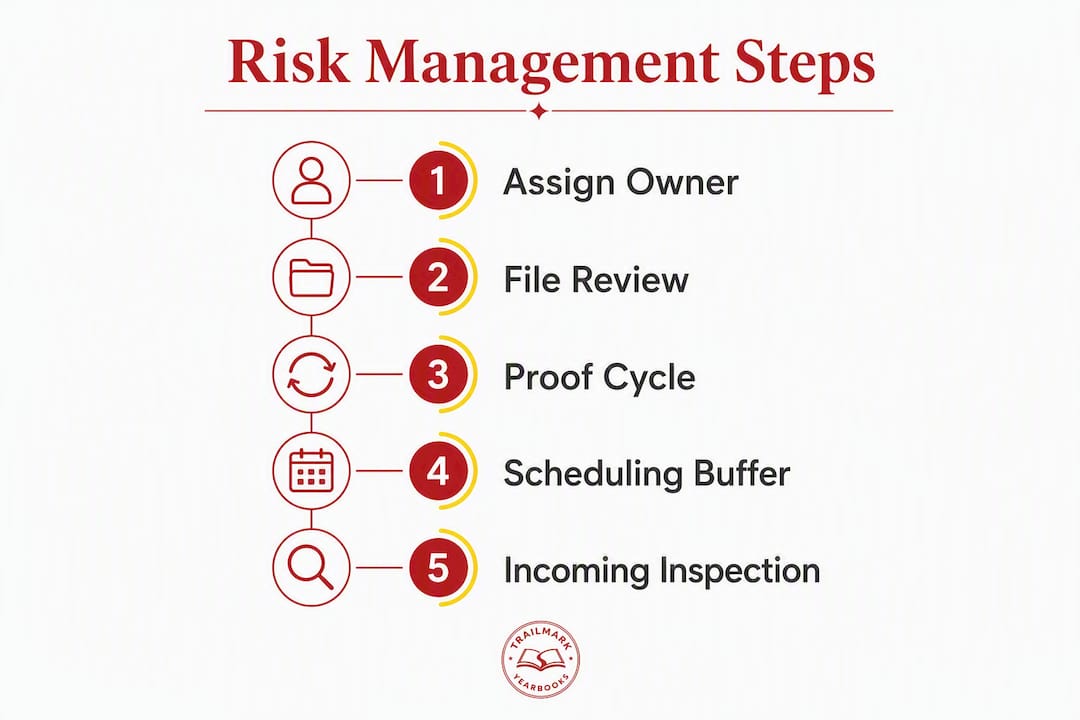
Assign one proof owner, lock your print-ready specs (PDF/X, CMYK color profile, correct bleed), and schedule a final physical or guaranteed digital color proof before you send anything to the printer. Those three actions prevent the majority of yearbook printing disasters. Everything else in this guide builds on them.
Three actions to pin to your desk right now:
- Appoint a single named proof owner who has final authority to approve every file version
- Lock and share your printer's technical specs (PDF/X standard, color profile, bleed dimensions) before any student touches a layout
- Schedule your final proof review date on the school calendar before the project starts, not after
The single biggest risk in yearbook printing is not a bad printer. It's an unclear approval chain. When three people think someone else is checking the final file, nobody is.
Table of Contents
- What goes wrong in yearbook printing and why
- How does the proof cycle work for school yearbooks?
- What technical specs make a file print-ready?
- What should you check on the first and final proofs?
- How do you schedule production to meet school deadlines?
- What should you do when yearbooks arrive damaged or wrong?
- Ready-to-copy templates advisers can use today
- How does a school-specialist partner reduce your production risk?
- How do you handle copyright and legal issues in yearbook content?
- Key Takeaways
- What advisers often get wrong about yearbook risk
- Trailmarkyearbooks takes the production risk off your plate
- Sources and further reading
What goes wrong in yearbook printing and why
Risk management for yearbook printing starts with knowing which failures actually happen. Four categories cause the overwhelming majority of problems.
File-spec errors are the most common technical rejection. Students submit files in RGB instead of CMYK, use images pulled from social media at 72 ppi, or forget to embed fonts. The printer's pre-press system flags the file, production stalls, and the adviser finds out two days after the deadline.
Proofing failures are subtler and more expensive. A page gets swapped during a late revision. A student fixes a caption typo and accidentally shifts the page order. Nobody catches it because the "final" proof was approved by email without a formal sign-off. By the time books arrive, the damage is done.

Scheduling and capacity problems hit hardest in April and May, when every school in the country is trying to print at once. Late uploads push your job to the back of the queue. Some plants simply stop accepting new orders after a certain date. Timeline delays are almost always avoidable when advisers plan internal review weeks and reserve production slots early.
Quantity misestimates create a different kind of pain. Order too few and you have students without books on distribution day. Order too many and you've spent money the budget didn't have. Tying your order quantity to current enrollment and pre-sale data is the fix.
Root causes are almost always human: student editor turnover mid-year, multiple people editing the same spread, last-minute copy changes after approval, and no formal change-control process. Here's how small errors cascade:
Real-world example 1: A high school adviser approved a 200-page proof in March. A student then corrected a spelling error on page 47, which shifted the layout and pushed the senior portrait section one page off. The file was re-uploaded without a new proof request. Books arrived with the wrong page numbers in the index. Reprinting the affected signatures cost more than the original contingency budget.
Real-world example 2: An elementary school submitted files two days before the printer's capacity cutoff. The file failed pre-press because images were 150 ppi instead of 300 ppi. Fixing and re-uploading took four days. The books missed the end-of-year assembly.
Pro Tip: Set a "no edits after approval" rule in writing at the start of the year. Post it in your shared drive and get a signature from every student editor. One enforced policy prevents more disasters than any checklist.
How does the proof cycle work for school yearbooks?
A formal proof cycle assigns named roles and a transmittal log to every file version. Without it, "who approved this?" becomes unanswerable.
Named roles you need:
- Creator: the student or staff member who builds the spread
- Section editor: first internal reviewer for content and layout
- Proof owner: the adviser or designated staff member who controls file versions
- Final approver: the administrator or adviser who signs the legal approval
The numbered proof cycle
- Initial draft complete. Creator marks the spread "ready for review" in your shared folder or management tool.
- Section editor review. Editor checks copy, captions, photo credits, and layout. Returns with tracked comments or a written approval note.
- Proof owner consolidation. Proof owner collects all approved spreads, assembles the full file, and runs a pre-flight check (page count, bleed, fonts, image resolution).
- Pre-press check with the printer. Submit the assembled PDF for a written pre-press confirmation before requesting a formal proof. Get written sign-off that the file meets specs.
- First printer proof. Review for major layout errors, color shifts, page sequence, and binding behavior. Document every correction in the transmittal log.
- Corrections and second proof (if needed). Only the proof owner submits corrected files. No student uploads directly to the printer.
- Final approval. Final approver signs the physical or digital proof. The proof owner stamps the PDF "APPROVED — NO FURTHER CHANGES" with date and time.
Transmittal log template fields
Copy this into a shared spreadsheet and require an entry for every file version:
- File name (with version number)
- Version number
- Date and time submitted
- Submitted by
- Reviewer name
- Approval status (Approved / Rejected / Pending)
- Comments / correction notes
- Date approved
Structured policies and checklists like this one measurably reduce timeline delays and proofing errors for adviser teams.
Pro Tip: After final approval, rename the file with a "FINAL" suffix and lock it in a read-only folder. Example: SchoolName_Yearbook_v7_FINAL.pdf. Anyone who wants to make a change after that point must submit a formal change request in writing to the proof owner, who then decides whether the correction is worth a reprint cost.
What technical specs make a file print-ready?
Submit a single, locked, print-ready PDF/X file that matches your printer's exact specifications. That sentence sounds simple. The details are where advisers lose time.
File-prep checklist:
- PDF standard: PDF/X-1a is the safest choice for school yearbooks. It forces CMYK-only color and embeds all fonts, which eliminates the two most common rejection reasons. PDF/X-4 supports transparency layers and is acceptable if your printer explicitly supports it.
- Color profile: Convert all colors to CMYK before export. Confirm the specific CMYK profile your printer requires (typically U.S. Web Coated SWOP v2 or a printer-supplied ICC profile). Never submit RGB files.
- Image resolution: All images must be at least 300 ppi at their final printed size. A photo that looks sharp on screen at 72 ppi will print blurry.
- Bleeds: Set bleeds to 0.125" on all sides as a minimum. Some printers require 0.25". Confirm with your vendor before building layouts.
- Safe margins: Keep all text and critical image content at least 0.125"–0.25" inside the trim line.
- Embedded fonts: Outline all fonts or embed them in the PDF export. Never submit a file with missing font links.
- Transparency: Flatten all transparency layers before export to avoid rendering errors in pre-press.
- Trim marks and page size: Set the document to the exact trim size your printer specifies. Include printer's marks only if your vendor requests them.
File-naming convention: Use a consistent format such as SchoolName_Yearbook_v3_FINAL.pdf. Never use spaces or special characters in file names. Version numbers prevent "which file is current?" confusion.
| Spec | Required setting |
|---|---|
| PDF standard | PDF/X-1a (preferred) or PDF/X-4 |
| Color profile | CMYK (U.S. Web Coated SWOP v2 or printer ICC) |
| Image resolution | 300 ppi minimum at final print size |
| Bleed | 0.125"–0.25" (confirm with printer) |
| Acceptable formats | PDF/X only; no Word, JPEG, or RGB PDF |
Pre-press file review and written confirmation that your PDF meets specs before production starts is the single most effective way to prevent technical rejections that cause schedule slips.
Pro Tip: Run a pre-flight check in Adobe Acrobat Pro or use your printer's online file-check tool before uploading. Catching a missing font or an RGB image yourself takes five minutes. Catching it after the printer rejects the file costs you days.

What should you check on the first and final proofs?
Verify pagination, image quality, color balance, bleeds and crops, fonts, page sequence, captions, and legal or copyright elements on every proof. The first proof and the final proof require different levels of scrutiny.
First proof: look for structural and content errors
- Page sequence and pagination (are pages in the right order?)
- Correct photos on correct pages (no swapped portraits)
- All captions present and accurate
- No missing or corrupted text blocks
- Bleed and crop marks behaving correctly
- Obvious color shifts (a student's face should not be green)
- Binding gutter: is content being swallowed in the spine?
Final proof: focus on color, trim, and finishing
- Compare color against your approved color proof or reference print. School colors must be accurate.
- Check every page number against the table of contents.
- Verify that all copyright and photo credit lines are present.
- Confirm the cover spine width matches the page count.
- Check the binding edge on a physical proof by flexing the book open. Content should not disappear into the gutter.
- Verify that no last-minute edits introduced new errors.
Sample reviewer training entries:
| Page | Common issue | Correction instruction |
|---|---|---|
| — | Portrait photo pixelated | Replace with original 300 ppi file; resubmit |
| 47 | Caption reads "Class of [year]" | Correct to current graduation year; proof owner to re-approve |
| — | Bleed missing on right edge | Extend background image 0.125" beyond trim; re-export PDF |
How do you schedule production to meet school deadlines?
Plan backward from your hard distribution date and build fixed review windows into the calendar before the project starts. Every stage needs a buffer.
Recommended timeline working backward from distribution:
- Distribution day: your fixed target
- Shipping buffer: add 5–7 business days for standard ground shipping; 2–3 days for expedited freight
- Production: standard production runs 10–15 business days after final approval; 2–3 week production is achievable when pre-press is handled proactively and proofs are approved on schedule
- Final approval window: allow 3–5 business days for the final proof review and sign-off
- First proof review: allow 5–7 business days to review, document corrections, and resubmit
- Pre-press check: allow 2–3 business days for the printer to confirm your file
- Internal review: allow 5–10 business days for section editors and the proof owner to consolidate spreads
- File submission deadline: this is the date you communicate to students as the absolute cutoff
| Production option | Typical turnaround | Suggested buffer for school events |
|---|---|---|
| Standard | 10–15 business days | Add 10 days before graduation or prom |
| Expedited | 5–7 business days | Add 5 days; confirm availability early |
| Rush | 2–4 business days | Confirm with vendor; quality risk increases |
Rush orders carry real trade-offs. Faster turnaround means less time for pre-press review, which increases the chance that a file error makes it into production. If you need a rush order, submit a flawless file and request written confirmation of the pre-press check before approving production.
Key scheduling rules:
- Reserve your production slot with the printer before your internal review starts, not after
- Build the final approval date into the school calendar as a hard event
- Never assume the printer has capacity in April and May without confirming
What should you do when yearbooks arrive damaged or wrong?
Inspect a random sample on receipt and verify critical elements before wide distribution. Catching a defect before books leave your hands gives you leverage. Once students have them, your options narrow fast.
Incoming inspection steps
- Open at least 10% of cartons at random, not just the top box.
- Check each sample book for: binding integrity (pages not falling out), correct pagination, color accuracy on key pages (portraits, school color spreads), physical damage (crushed corners, water damage), and correct cover.
- Document every defect with photos before moving any books.
- Count the total quantity against the packing slip.
- If defects exceed an acceptable threshold (typically more than 2–3% of the run), stop distribution and contact the printer immediately.
Escalation template:
- Who to notify: your printer's customer service contact and your school's purchasing administrator
- Required evidence: photos of defective copies, the packing slip, your original approved proof, and a written description of the discrepancy
- What to request: written acknowledgment of the defect, a reprint timeline, and a clear statement of who covers the cost
Contingency options:
- On-demand reprints: some vendors can reprint individual signatures or partial runs; confirm this capability before you place your original order
- Partial shipments: if only a portion of the run is defective, distribute the good copies first and communicate a timeline for replacements
- Local bindery solutions: for minor binding failures, a local print shop can sometimes rebind individual copies as a stopgap
Budget a contingency reserve of your total print cost to cover unexpected reprints or corrections. It rarely gets used. When it does, you'll be glad it's there.
Pro Tip: Take photos of the first carton you open, even if everything looks fine. Dated photos establish a baseline and protect you if defects surface later after distribution.
Ready-to-copy templates advisers can use today
Copy these templates into your project document and use them exactly. The value is in the consistency, not the creativity.
Final sign-off checklist (paste into your shared drive):
- File name includes version number and "FINAL" suffix
- PDF/X standard confirmed (X-1a or X-4)
- All images at 300 ppi or higher
- CMYK color profile embedded
- Fonts outlined or embedded
- Bleed set to printer's required dimension
- Page count matches approved layout
- Table of contents page numbers verified
- All photo credits and copyright lines present
- Proof owner signature and date recorded
- Final approver signature and date recorded
Send-to-printer email template:
Subject: [School Name] Yearbook — Final File Submission, PO #[XXXX]
Hi [Printer contact name],
Attached is our final approved PDF for the [School Name] yearbook. Details below:
- File name: SchoolName_Yearbook_vX_FINAL.pdf
- Page count: [X] pages
- Trim size: [X" x X"]
- Quantity: [X] copies
- Color profile: CMYK, [profile name]
- Bleed: [X"]
- PO number: [XXXX]
- Required delivery date: [Date]
Please confirm receipt and pre-press approval in writing before beginning production. Contact me at [phone/email] with any questions.
[Your name, title, school]
Transmittal log (paste into a shared spreadsheet):
| File name | Version | Date/time submitted | Submitted by | Reviewer | Status | Comments | Date approved |
|---|---|---|---|---|---|---|---|
| SchoolName_v1.pdf | 1 | [date] | [name] | [name] | Pending | [notes] |
The proof owner should be the only person with edit access to the transmittal log. Everyone else gets view-only. A staff management tool or a simple shared spreadsheet both work; what matters is that one person controls the record.
How does a school-specialist partner reduce your production risk?
A school-specialist yearbook partner reduces risk by owning pre-press checks, offering guaranteed proofing options, and providing predictable turnaround with reprint support. That's a different proposition from a general commercial printer.
Consider a common scenario: a middle school adviser submits files in late April, two weeks before the end-of-year ceremony. A general printer's queue is full. A school-specialist vendor with reserved school-calendar capacity can slot the job, run a pre-press check within 24 hours, and confirm a delivery date that works. The adviser doesn't scramble. The books arrive on time.
Publishers and printers who treat manufacturing as a strategic relationship, not a transactional line item, are better positioned to survive supply disruptions. Total cost and reliable priority scheduling matter more than the cheapest per-unit price.
— David Hetherington, Managing Manufacturing and Supply Chain Risk in Publishing
What to expect from a reliable school yearbook vendor:
- A dedicated adviser contact who knows your school's timeline
- Written pre-press PDF review before production starts
- A physical proof option (not just a PDF preview)
- Clear change-order fees stated upfront, in writing
- On-demand reprint capability for partial runs
- Transparent, all-inclusive pricing with no hidden fees
Long-term vendor relationships reduce price volatility and last-minute supply problems. A vendor who knows your school's history, typical page count, and distribution date can flag risks before they become emergencies.
Assignment-tracking tools like Yearbookadmin reduce the human errors that cause late changes and missing assets at proof time. Pairing a process tool with a school-specialist printer covers both the internal workflow and the production side of risk.
How do you handle copyright and legal issues in yearbook content?
Copyright in school yearbooks is a real liability, not a formality. The most common violations are also the easiest to prevent.
Photos: Students and staff often pull images from Google, Instagram, or news sites without realizing those images are protected. Every photo in the yearbook must be either taken by a student or staff member, licensed for use, or in the public domain. Clip art from subscription services like Adobe Stock or Getty Images requires a license that covers print publication. Confirm the license terms before using any third-party image.
Student-created content is generally owned by the student, not the school. Get written permission from students (and parents for minors) to use their work in the yearbook. A simple release form signed at the start of the year covers portraits, artwork, and written contributions.
Music lyrics and literary quotes are almost always protected. Even a two-line lyric in a senior quote section can constitute infringement. Use original quotes or properly attributed public-domain text instead.
Privacy and defamation: Publishing a photo of a student without parental consent, or a caption that could be read as defamatory, creates legal exposure for the school. Review your district's media release policy before finalizing any content. When in doubt, pull the content.
Practical steps:
- Add a copyright review to your final proof checklist
- Require photo credits for every image, including student-taken photos
- Keep a log of all third-party images and their license documentation
- Have your school's legal or administrative contact review the final proof if any content is borderline
This article is general information, not legal advice. Confirm your district's specific policies with your school's legal counsel or administration for your own situation.
Key Takeaways
Effective risk management for yearbook printing comes down to three disciplines: a formal proof cycle with named ownership, technically correct print-ready files, and a production partner who treats your school's deadline as a commitment.
| Point | Details |
|---|---|
| Assign one proof owner | A single named person controls all file versions and sign-offs; no exceptions. |
| Lock specs before layouts start | PDF/X-1a, CMYK, 300 ppi images, and correct bleed must be set before students build spreads. |
| Plan backward from distribution | Build internal review, pre-press check, proof review, and shipping buffer into the calendar before the project starts. |
| Inspect deliveries before distributing | Sample at least 10% of cartons on receipt and document defects with photos before any books leave your hands. |
| Trailmarkyearbooks reduces production risk | Trailmarkyearbooks offers pre-press checks, a dedicated adviser, on-demand reprints, and a 2–3 week turnaround with all-inclusive pricing. |
What advisers often get wrong about yearbook risk
Most advisers treat yearbook risk management as something you do at the end, when the file is almost done. That's exactly backward. The decisions that cause the most expensive problems, like building layouts in RGB, skipping a formal proof owner, or failing to reserve a production slot, happen in September and October, not April.
The other underestimated risk is the approval chain itself. Schools spend weeks perfecting layouts and then rush the sign-off because the deadline is close. A proof that gets approved in 20 minutes after months of work is where errors hide. The formal transmittal log and the "no changes after approval" window aren't bureaucratic overhead. They're the only reliable way to stop a well-intentioned last-minute fix from becoming a reprint.
One more thing worth saying plainly: the cheapest printer is rarely the lowest-risk printer. A vendor who offers a physical proof option, a dedicated contact, and written pre-press confirmation costs more per unit than a generic online printer. That difference in price is what you're paying to not scramble in May.
Trailmarkyearbooks takes the production risk off your plate
Yearbook advisers who follow every checklist in this guide still face one variable they can't fully control: the printer. Trailmarkyearbooks is built specifically for schools, which means the risk controls described here are already built into the production process.

All-inclusive instant pricing means no surprise fees after you've committed to a budget. The 2–3 week turnaround is a real production window, not a best-case estimate, backed by proactive pre-press handling and a dedicated adviser who knows your timeline. Free file checks catch spec errors before they stall production. On-demand reprints mean a defective run doesn't become a distribution disaster. And because there are no order deadlines, you're not racing a plant-capacity cutoff in April.
Request a physical sample to verify color, paper, and binding before you commit to a full order. Or check instant pricing and production options directly, with no signup and no sales call required.
Sources and further reading
Industry and technical references:
- Managing Manufacturing and Supply Chain Risk in Publishing — IBPA supply-chain piece by David Hetherington; essential context on why long-term vendor relationships outperform one-off price shopping.
Trailmarkyearbooks adviser resources:
- Yearbook Printing Turnaround: What Advisers Need to Know — Real-world turnaround benchmarks and how to schedule reviews around production windows.
- School Yearbook Budget Planning: A 2026 Adviser Guide — Budgeting trade-offs, vendor relationship guidance, and cost-related risk mitigation.
- School Yearbook Policy Best Practices for Advisers — Approval chain templates and change-control policy recommendations.
- Common Yearbook Timeline Delays: Adviser's Fix-It Guide — Frequent scheduling errors and actionable fixes for advisers.
- 2–3 Week Yearbook Production: A Guide for Advisers — How to hit aggressive production windows with disciplined pre-press and approvals.
- Yearbook Print Quantity Planning: A 2026 Guide for Advisers — Quantity forecasting to reduce overprint and shortage risk.
- Yearbook Deadline Management Checklist for Advisers — Practical deadline and inspection checklist for incoming shipments.
Workflow tools:
- Yearbookadmin — Assignment tracking and photo indexing tool that reduces missing assets at proof time.