

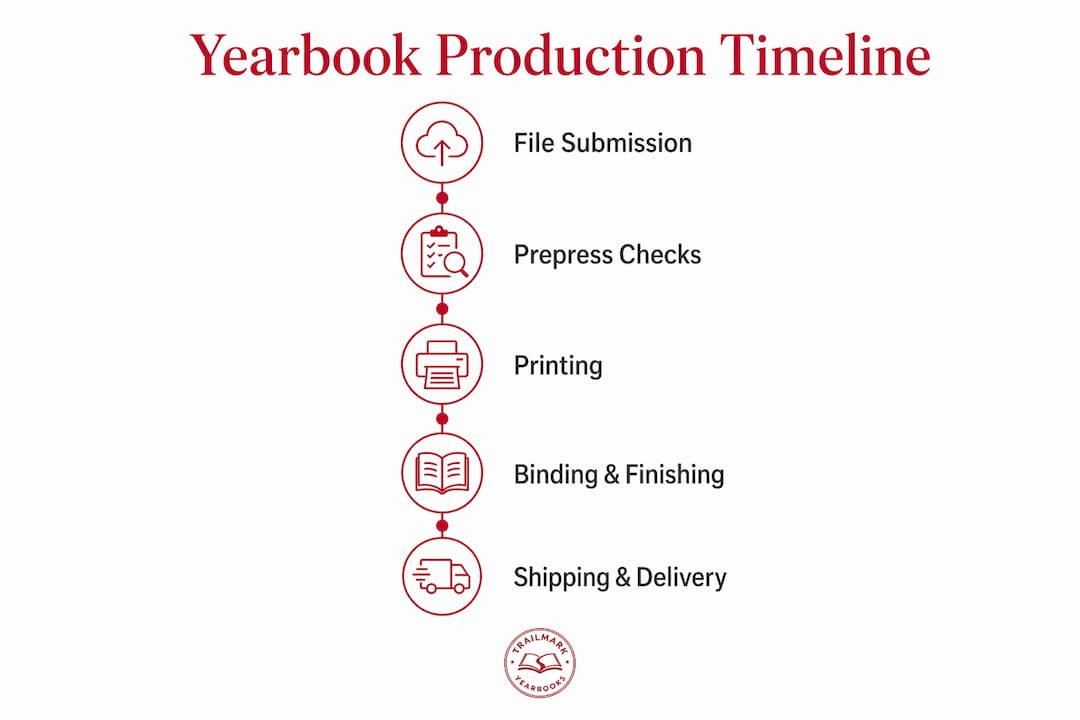
2–3 week yearbook production is defined as the final manufacturing phase that begins the moment a school submits print-ready files to the printer and ends when physical books arrive at the school. This phase covers imposition, printing, binding, and shipping. It does not include the months of design work, photo collection, or content editing that precede it. Yearbook advisers who understand this distinction plan better, submit cleaner files, and avoid the most common cause of missed delivery dates: confusing the design timeline with the production timeline. Trailmarkyearbooks offers this 2–3 week turnaround as a standard service, with no hidden fees and shipping included.
What is 2–3 week yearbook production and what does it actually cover?
The 2–3 week production timeline marks only the manufacturing phase after file submission, not the entire yearbook design process. That distinction matters more than most advisers realize. Schools that treat the printer's turnaround window as their total deadline routinely submit files late, rush proofing, or skip quality checks entirely.
The manufacturing phase includes several distinct steps the printer controls. After receiving your files, the printer runs imposition (arranging pages into press-ready signatures), plates the job, runs it on press, folds and binds the signatures, trims the finished books, and ships them. Each step has a fixed minimum time. Proofing and file prep often extend the full timeline beyond the advertised window, especially when physical proofs are requested.
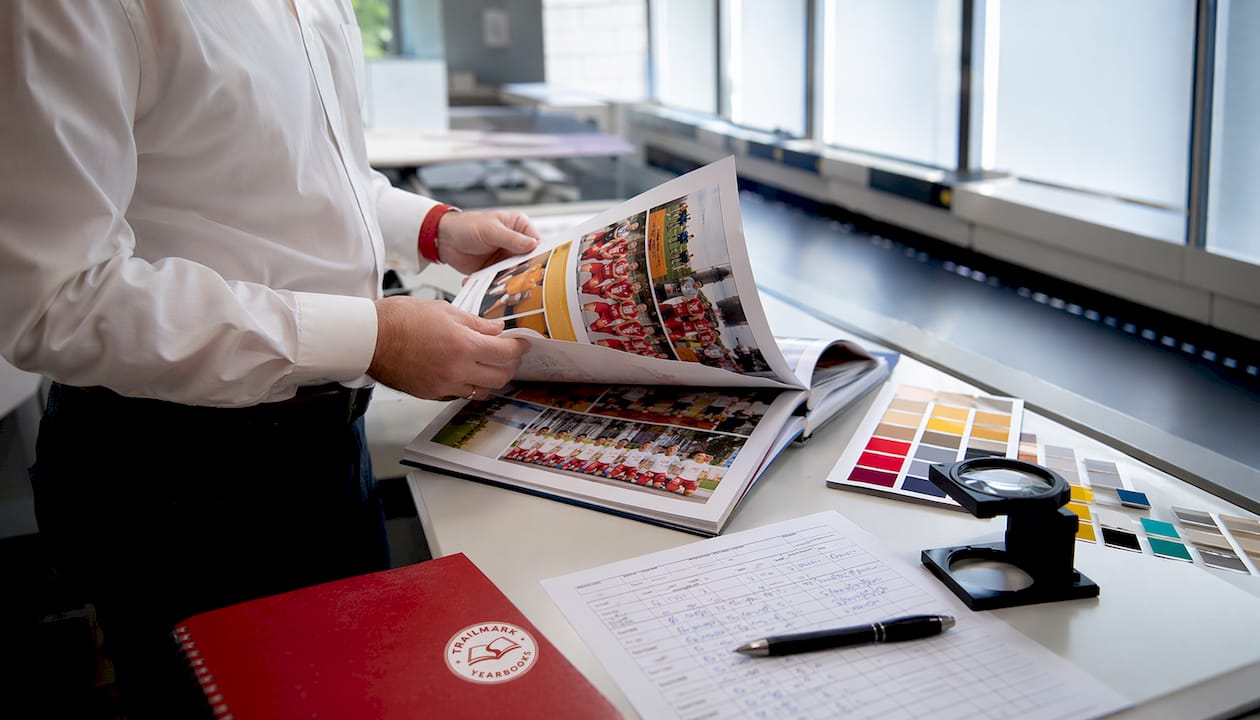
The industry term for this phase is "print production." The informal phrase "2–3 week yearbook production" describes the same window and has become the standard way schools communicate turnaround expectations with their printer. Both terms refer to the same compressed manufacturing cycle.
Understanding this scope protects your schedule. If your delivery date is may 30, your print-ready files need to be in the printer's hands by may 9 at the latest, not may 28.
What are the key steps in a yearbook production schedule?
A reliable yearbook production timeline works backward from the delivery date. Every stage has a fixed minimum, and skipping any one of them creates a cascade of delays.
- Set your delivery date. Confirm the exact date books must arrive at school. Build your entire schedule from this date backward.
- Subtract shipping time. Ground shipping typically takes 3–5 business days. Subtract that from your delivery date to find your latest ship date.
- Subtract manufacturing time. The core printing, binding, and finishing phase takes approximately 7–10 business days. Subtract that from your ship date to find your file approval deadline.
- Subtract proofing time. Digital soft proofs can save 1–2 weeks compared to physical folded-and-trimmed proofs. Budget 2–3 business days for a digital proof review and approval.
- Subtract file preparation time. Allow 1–2 days for the printer to preflight your files and flag any issues before proofing begins.
- Add a buffer. Building in a 2-week buffer for revisions and corrections before the manufacturing window is standard practice for meeting quality standards on an accelerated schedule.
The result of this calculation is your true internal deadline for submitting final files. For most schools, that date falls 4–6 weeks before the desired delivery date, not 2–3 weeks. The printer's 2–3 week window is the last leg of a longer race.
How should advisers prepare print-ready files for fast production?
Clean file submission is the single biggest factor in whether a 2–3 week production window holds. Advisers who submit clean, mistake-free files at the start of production give the printer no reason to pause the job. Every pause adds days.
Print-ready files must meet specific technical standards. The most common requirements include:
- Bleed and margins. Standard requirements call for a 0.5–0.75 inch inside margin and 3mm outer bleed with a 6mm gutter bleed. These measurements protect text and images from being cut off during trimming.
- Embedded fonts. All fonts must be embedded or outlined in the PDF. Missing fonts cause preflight failures and delay the job immediately.
- Correct page size. Every page must match the printer's specified trim size exactly. Off-size pages trigger manual corrections that add hours to the schedule.
- Printer marks. Crop marks and registration marks must be included where the printer requires them. Missing printer marks or improper page sizing are among the most common causes of processing delays.
- Color mode. All images and elements should be in CMYK, not RGB, unless the printer specifies otherwise.
- Image resolution. Photos should be at least 300 DPI at final print size. Low-resolution images print blurry and cannot be corrected after submission.
Pro Tip: Use automated imposition software before submitting your files. Manual imposition can take hours or days; software performs the same task in minutes, enabling faster printer acceptance and reducing the risk of signature errors.
Design tools like Canva, Adobe InDesign, and online yearbook creators each export PDFs differently. Confirm your export settings match the printer's spec sheet before you click submit. One wrong setting in the export dialog can invalidate an otherwise perfect file.
What are the proofing challenges in a quick yearbook production process?
Proofing is the core bottleneck in any compressed production window. The choice between digital and physical proofs directly determines whether your 2–3 week manufacturing window holds.
A digital soft proof is a high-resolution PDF the printer sends for on-screen review. It shows color, layout, and pagination accurately enough for most approval decisions. Digital proofing can save 1–2 weeks compared to requesting a physical folded-and-trimmed proof, which requires the printer to run a short physical sample, fold it, trim it, and ship it to you before production continues.
Physical proofs are valuable. They reveal binding issues, color shifts under different lighting, and trim accuracy in ways a screen cannot replicate. The trade-off is time. Most schools targeting a strict 2–3 week delivery skip physical proofs entirely and rely on thorough digital review instead.
Managing the proofing approval process efficiently requires a clear internal workflow:
- Assign one person as the final approver. Committee decisions on proofs add days.
- Review the digital proof against a printed checklist: page order, spreads, names, photo captions, and cover alignment.
- Flag all corrections in a single consolidated document. Multiple rounds of small corrections cost more time than one thorough review.
- Set a firm internal deadline for proof approval. If the proof is not approved by that date, the delivery date moves.
Pro Tip: Read the yearbook proofing process guide before your first proof arrives. Knowing what to look for in advance cuts your review time significantly.
Catching errors before submission is always faster than catching them during proofing. Run a full preflight check on your files, print a desktop proof at home, and have a second set of eyes review every spread before you submit.
What scheduling strategies help advisers meet a 2–3 week production window?
Backward planning is the most reliable method for hitting a tight production deadline. Working backward from the delivery date through each stage, including file finalization, proofing, approval, printing, binding, and shipping, gives every task a fixed due date instead of a vague target.
Practical scheduling strategies that work in real school environments include:
- Build a shared deadline calendar. Post every internal deadline in a shared tool your whole team can see. Google Calendar, Notion, or even a printed wall calendar works. The format matters less than the visibility.
- Delegate by section. Assign each team member ownership of specific spreads or sections. One person cannot catch every error across 100 pages. Distributed ownership catches more problems earlier.
- Use a deadline management checklist. A written checklist for each production stage prevents tasks from falling through the cracks during the final push.
- Lock content before export. Set a hard content freeze date at least one week before file submission. Changes made after the freeze create version control problems and introduce new errors.
- Communicate directly with your printer. Confirm file specs, proof turnaround times, and shipping estimates in writing before you begin. Assumptions about printer timelines are a leading cause of yearbook timeline delays.
Treating yearbook production like a mini publishing company changes how advisers approach every deadline. Publishers do not wait for inspiration. They work to a schedule, assign accountability, and submit clean files on time because the press run waits for no one.
One often-overlooked factor is the school calendar itself. Exam periods, holidays, and staff absences all compress the time available for proofing and corrections. Building your schedule around the school calendar, not just the printer's calendar, prevents last-minute scrambles. Schools that also manage phone-free environments during production periods, following guidance like reducing phone distractions in schools, report that student teams stay more focused during the critical final editing weeks.
Key Takeaways
A successful 2–3 week yearbook production depends on clean file submission, backward scheduling, and a clear proofing workflow, not on the printer's speed alone.
| Point | Details |
|---|---|
| Manufacturing phase only | The 2–3 week window covers printing, binding, and shipping. Design time is separate. |
| File standards are fixed | Submit files with correct bleed, margins, embedded fonts, and CMYK color to avoid delays. |
| Digital proofs save time | Choosing digital over physical proofs can save 1–2 weeks in the production schedule. |
| Backward planning is required | Build your schedule from the delivery date backward to set real internal deadlines. |
| Clean files are the biggest factor | Advisers who submit error-free files give the printer no reason to pause the job. |
Why the real work happens before the printer ever sees your files
Most advisers I talk to assume the 2–3 week clock starts when they decide to order yearbooks. It does not. By the time you submit files, the hard work should already be done. The printer's window is a manufacturing guarantee, not a design deadline.
The advisers who consistently hit their delivery dates share one habit: they treat file submission as the finish line of a long internal race, not the starting gun. They run preflight checks weeks before submission. They lock content early. They assign one person to own the proof approval, not a committee.
The trade-off between digital and physical proofing is real, and I think most advisers underestimate it. Skipping a physical proof to save time is a legitimate choice. But it means your digital review needs to be thorough enough to catch what a physical proof would have caught. That requires a checklist, a second reviewer, and enough time to actually read every page. Rushing the digital proof to save the same days you would have spent on a physical one defeats the purpose entirely.
The yearbook adviser responsibilities that matter most in a compressed production window are organizational, not creative. Your design team handles the creative work. Your job in the final weeks is to be a project manager: track deadlines, consolidate feedback, and submit clean files on time. Schools that separate those two roles consistently produce better books on tighter schedules.
— Jace
Trailmarkyearbooks: fast, affordable yearbook production for schools
Trailmarkyearbooks was built specifically for schools that need speed, transparency, and quality without the sales pitch. The 2–3 week turnaround is a standard feature, not an upgrade.

Advisers can get instant all-inclusive pricing online with no signup required. Design tools include Canva, Adobe InDesign, and Trailmarkyearbooks' own online creator, with free design assistance available. Shipping is included in every order, and there are no hidden fees or order deadlines to worry about. If you want to assess print quality before committing, request a printed sample and see the product in your hands. For a full look at available production options, the yearbook production services page covers everything schools need to get started.
FAQ
What does 2–3 week yearbook production actually mean?
It refers to the manufacturing phase after print-ready files are submitted. It covers imposition, printing, binding, and shipping, not design or proofing time.
How long before delivery should I submit my yearbook files?
Submit final files at least 4–6 weeks before your desired delivery date to allow time for proofing, corrections, and the 2–3 week manufacturing window.
What file format do printers require for fast yearbook production?
Most printers require a print-ready PDF with embedded fonts, CMYK color, correct bleed settings, and crop marks. Confirm exact specs with your printer before exporting.
Can I skip physical proofs to meet a tight deadline?
Yes. Digital soft proofs can save 1–2 weeks compared to physical proofs. Use a detailed checklist and a second reviewer to compensate for the reduced tactile review.
What causes the most delays in a 2–3 week production schedule?
Missing printer marks, incorrect page sizes, and RGB color mode are the most common file errors that pause production. Submitting clean, spec-compliant files eliminates most delays before they start.