
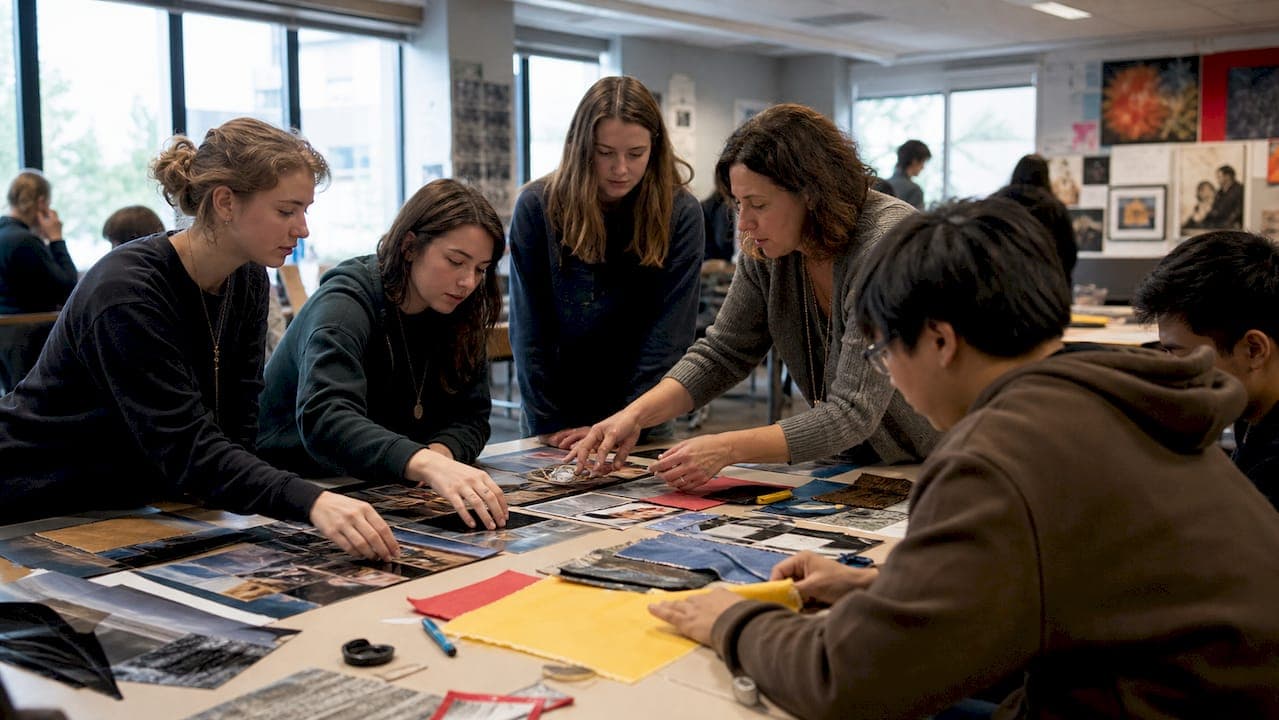
Use a modular, teacher-ready yearbook curriculum built from standalone 5-day units that map to standards and printer deadlines. Success looks like a full binder of copyable modules, a pacing map for your specific schedule, and a proofing checklist your editors can run without you hovering over their shoulders. Whether you teach a full class or run an after-school club, the same core structure adapts.
TL;DR:
- Creating a flexible, modular curriculum with standalone five-day units allows for adaptation to various schedules and student workloads throughout the year.
- Clear rubrics, sample spreads, and templates for photography, layout, and coverage planning help streamline instruction and ensure consistency in assessment.
- Incorporating real-world deadlines and production steps into grading emphasizes the importance of accuracy, proofreading, and meeting printer specifications.
- Building student roles in leadership, budgeting, and community outreach enhances collaboration skills and provides practical experience in journalism ethics and finance.
- Using ready-made curriculum guides and templates reduces preparation time, while involving parents and community partners enriches the program and supports student success.
Table of Contents
- What Goes Into a Yearbook Curriculum?
- How Do You Structure a Yearbook Lesson Plan?
- How Do You Schedule a Yearbook Class or Club?
- How Do You Assess Yearbook Skills and Meet Standards?
- What Does Yearbook Production Workflow Look Like?
- What Resources and Tools Belong in a Curriculum Pack?
- How Does a Production Partner Support Your Curriculum?
- What Roles Do Students Play on a Yearbook Staff?
- How Should Journalism Ethics Fit Into the Curriculum?
- What Technology Beyond InDesign Should Students Learn?
- How Does Yearbook Build Collaboration and Communication Skills?
- How Do You Teach Budgeting and Funding Into the Course?
- How Should Advisers Involve Parents and the Community?
- An Adviser's Honest Take on What Actually Saves Your Sanity
- Where to Find Ready-Made Yearbook Curriculum Documents
- Sources
What Goes Into a Yearbook Curriculum?
A working yearbook curriculum has two moving parts: continuous work that never stops (interviewing sources, editing copy, tracking deadlines) and modular units you can sequence however your calendar demands. Trying to teach both the same way is where most first-year advisers get stuck.
Most solid course outlines break down into these core units:
- Intro and staff planning (roles, style guide, theme selection)
- Photography (composition, lighting, candid vs. posed shots)
- InDesign or layout software (grids, templates, typography)
- Writing and captions (AP style basics, headline writing, cutlines)
- Theme and coverage planning (mapping content across the book)
- Marketing and sales (ads, subscriptions, promotion)
- Production and distribution (proofing, printing, delivery)
News gathering, interviewing, and editing run continuously across the whole term rather than sitting in one unit. Many programs run this as a year-long elective serving grades 10 through 12, often counting toward practical-arts credit. A one-semester version works too, but you'll need to compress the modular units and lean harder on independent student work outside class.
How Do You Structure a Yearbook Lesson Plan?
A reusable 5-day module is the backbone of any modular yearbook curriculum. Build it once, drop it anywhere in your pacing calendar, and reuse it year after year with small updates. Teacher-created curricula that bundle 5-day lessons with pacing guides and slide decks have become the standard format advisers reach for precisely because they travel well between class periods, block schedules, and clubs.
Here's the anatomy of a single module:
- Day 1: Launch. State the learning target, run a bell ringer (critique a sample spread, spot a caption error), preview the skill.
- Day 2: Mini-lesson. Direct instruction on the specific skill (rule of thirds, grid alignment, headline formulas) with guided practice.
- Day 3: Workshop. Students apply the skill to real spreads or assignments while you circulate and coach.
- Day 4: Critique and revision. Peer review using a rubric, followed by structured revision time.
- Day 5: Assessment and exit ticket. A short formative check, plus a quick exit ticket gauging whether the target landed.
A sample learning target might read: "Students will apply the rule of thirds to compose three candid photographs suitable for a spread." Rubrics should score photography, writing, and layout as separate categories rather than one blended grade, since a technically sharp photo can still fail on composition or a well-written caption can sit inside a cluttered spread.
Pro Tip: Build your Day 4 critique protocol once, laminate it, and reuse it across every module. Students internalize the revision language faster when the process never changes, even as the skill does.
How Do You Schedule a Yearbook Class or Club?
Modules only work if they're genuinely rearrangeable. That flexibility is the entire point of building standalone 5-day units: a block-schedule class can compress a module into two 90-minute blocks, a traditional 50-minute class runs it as written over a full week, and a club can stretch the same content across two meetings a week for two and a half weeks.
Your production calendar should sit alongside your instructional pacing, not separate from it. A rough semester map looks like:
- Weeks 1 to 3: intro, staff roles, theme development
- Weeks 4 to 9: rotating modules (photography, writing, layout)
- Weeks 10 to 14: heavy production, first deadline crunch
- Weeks 15 to 16: proofing, final sign-off, submission
District course outlines from programs like CFISD's Advanced Journalism-Yearbook track note that production regularly demands 3 to 8 hours of after-school work per week from staff during peak deadline windows. Build that expectation into your syllabus early, not after students discover it the hard way. A production calendar template helps you lock deadline weeks before you finalize your pacing guide.
How Do You Assess Yearbook Skills and Meet Standards?
Vague goals like "get better at design" don't hold up to a grade book or a standards audit. Write targets that name a specific, observable skill: "Create a two-page spread using grid-based layout principles" or "Write three cutlines that answer who, what, and when without repeating the headline."
Yearbook commonly counts as a practical-arts or fine-arts elective, and courses are structured as project-based electives with ongoing production responsibilities layered over discrete design units. Check your own district's course catalog before assuming automatic credit, since the designation varies by state and by school.
A grading structure that mirrors real publication stakes tends to motivate students better than a flat point system:
- Major grades: completed spreads, production weeks, final deadlines
- Minor grades: daily workshops, homework, formative checks
- Rubric categories: photography, writing, layout, scored separately
- Peer review cycles: built into the Day 4 critique rotation
Treating production weeks as major grades and daily workshops as minor ones reflects how a real newsroom actually operates, and it clarifies for students which deadlines genuinely can't slip.
What Does Yearbook Production Workflow Look Like?
Printing deadlines don't bend for a missed rubric or a late edit, which makes production week the best real-world lesson in the entire course. Teach students to run through five proofing steps before any spread leaves their hands:
- Names check. Cross-reference every name against the official roster.
- Layout check. Confirm margins, bleeds, and image resolution meet printer specs.
- Copy edit. Read for grammar, AP style consistency, and caption accuracy.
- Fact check. Verify dates, scores, and event details against a second source.
- Sign-off. A section editor and the adviser both approve before submission.
Print lead times typically run several weeks from final file submission to delivery, which is why buffer weeks belong on your calendar, not as an afterthought. If your vendor promises a 2 to 3 week turnaround, build your internal deadline at least a week ahead of the vendor's cutoff so a last-minute correction doesn't blow the whole schedule.
Before final submission, confirm your book includes the standard formal elements: colophon, folio lines, a complete index, and consistent page numbering throughout. These are easy to forget in the rush of deadline week and expensive to fix after printing. A proofing checklist built into your production module catches most of these before they become reprint requests.
What Resources and Tools Belong in a Curriculum Pack?
A resource pack should hold everything a substitute adviser could pick up cold and still run a functioning class. That means editable slide decks for each module, rubrics for photography and writing and layout, a photo checklist, and two or three annotated sample spreads showing strong and weak execution side by side.
Your resource pack should include:
- Editable Google Slides for each 5-day module
- Separate rubrics for photography, writing, and layout
- A photography shot list and technical checklist
- Sample spreads annotated with strengths and fixes
- A coverage plan template mapping content across the book
Tool choice comes down to staff skill and budget. Adobe InDesign gives students industry-standard experience that transfers to design and media careers, but it has a real learning curve. Canva works faster for beginner staff and still produces clean layouts. Whichever you choose, an InDesign template setup guide saves hours once your staff clears the basics. Host everything in one shared drive or your school's LMS so students always know where the current version lives.
How Does a Production Partner Support Your Curriculum?
The vendor you print with shapes your classroom calendar more than most advisers realize. A fast turnaround changes how much buffer you need to build in, and free design help changes how much of the InDesign module you have to teach from scratch.
Trailmarkyearbooks builds its production model around a few things that matter directly to a classroom schedule:
- All-inclusive instant pricing with no sales calls slowing down your budget planning
- A 2 to 3 week turnaround that shrinks how much buffer time your pacing map needs
- Free design assistance for staff still building layout confidence
- Flexible design options through Canva, InDesign, or an online creator, matching whatever software your students already know
Sample proofs from your printer double as a teaching tool. Walk students through a real proof, point out what the printer flagged, and let them see how a missed bleed or a low-resolution image actually looks on a printed page rather than a screen.
Pro Tip: Request a sample yearbook before the school year starts and use it as your Day 1 bell ringer. Students critique a real, professionally printed book far more seriously than a screenshot.
What Roles Do Students Play on a Yearbook Staff?
A yearbook class runs on distributed responsibility, not one adviser doing everything while forty students watch. Editors-in-chief oversee the whole book and make final calls on layout disputes. Section editors own specific spreads (sports, clubs, academics) and manage the writers and photographers assigned to their pages. Photographers cover events and build a shot library the whole staff can pull from. Writers handle captions, headlines, and feature copy. A business or ads manager tracks sales and budget line items.

Rotating students through roles across the year, rather than locking them into one job in August, builds a staff that can cover for each other during crunch weeks. It also gives you a natural succession plan: this year's section editor becomes next year's editor-in-chief candidate, already fluent in your rubrics and deadlines.
Assign roles with real accountability attached. A photographer who misses an event shoot should feel that gap the same way a writer feels a missed deadline. Weekly staff meetings where each role reports status out loud (not just to the adviser) build the habit of self-management your top editors will need once you step back from daily oversight. Students who've held a leadership role on staff tend to describe it as the most demanding, most useful thing they did in high school. That reputation is worth protecting by giving roles real stakes, not just titles.
How Should Journalism Ethics Fit Into the Curriculum?
Yearbook is journalism, even when students don't think of it that way, and course outlines increasingly build ethics instruction directly into the unit sequence rather than treating it as a footnote. Course objectives from programs like YWLA's yearbook track explicitly list journalism ethics alongside photography technique and layout principles as core outcomes, not extras.
Practical ethics instruction covers accuracy (verifying names and facts before print), fairness (balanced coverage across student groups, not just the same clubs every year), and privacy (understanding what's appropriate to photograph and publish about minors). A short case-study lesson works better here than a lecture: give students a real ethical dilemma (a photo that's technically great but shows a student in an unflattering moment) and let the staff debate whether it runs.
Source verification deserves its own mini-lesson early in the year. Students should learn to spell-check names against an official roster, confirm event details with two sources when possible, and understand why a factual error in a permanent, printed book carries more weight than a typo on a website that can be fixed in five minutes. Building this instinct in September saves you from painful corrections in April.
Framing the ethics unit around real career skills, rather than abstract rules, tends to land better with students who are already thinking about journalism, communications, or media production as a path, as explained in this resource on teaching real-world skills for career success. That framing also justifies why colleges and employers take yearbook staff experience seriously on an application.
What Technology Beyond InDesign Should Students Learn?
InDesign or Canva handles layout, but a functioning yearbook staff needs a broader toolkit. Photography apps on student phones, whether that's the native camera app with manual controls unlocked or a dedicated app like Halide or ProCamera, teach exposure and focus concepts before students ever touch a DSLR.
Photo editing rounds out the photography unit. Adobe Lightroom or the free Snapseed app teach basic color correction, cropping, and exposure fixes, skills students need before submitting images for layout. Teaching a simple editing workflow (crop, correct exposure, adjust color, export) prevents the common mistake of over-editing a photo until it looks artificial.
Cloud storage and shared drives matter more than most curricula acknowledge. A shared Google Drive or Dropbox folder organized by section keeps hundreds of event photos from disappearing onto individual phones where the rest of the staff can't access them. Build a simple naming convention (event, date, photographer initials) into your Day 1 module so the system doesn't collapse under its own volume by October.
Digital publishing skills also transfer directly to career prep. Framing InDesign and photo editing as industry-standard tools rather than "yearbook software" measurably increases student buy-in, especially for students weighing design, media, or communications as a college path. A brief unit on file formats (TIFF vs. JPEG, resolution requirements for print) rounds out the technical literacy students need before their first submission deadline.
How Does Yearbook Build Collaboration and Communication Skills?
A yearbook staff can't function as forty individuals working in isolation, and that's exactly what makes the course valuable beyond the finished book. Section editors have to communicate coverage gaps to the editor-in-chief. Photographers have to coordinate shoot schedules with writers so captions and images arrive together instead of separately. Everyone has to negotiate space when three sections all want the same photo.

Weekly staff meetings, run by student editors rather than the adviser, build these muscles directly. Give editors a simple meeting agenda template: status updates by section, blockers, and next week's priorities. Sitting in the back and letting students run the meeting, even imperfectly, teaches more about real workplace communication than any worksheet.
Critique sessions double as communication training. Teaching students to give specific, actionable feedback ("this caption doesn't answer when the event happened" rather than "this is bad") is a skill that transfers directly to any collaborative work they do after high school. Structure critique with sentence starters early in the year until students find their own voice for it.
Conflict is inevitable when two section editors both need front-page space or a photographer misses a deadline that holds up a whole spread. Build a simple, calm process for resolving these disputes (editor-in-chief has final say, disagreements go to the adviser only after student leadership tries first) so the classroom doesn't rely on you refereeing every disagreement personally.
How Do You Teach Budgeting and Funding Into the Course?
Money is part of the curriculum whether you plan for it or not, since every spread, every extra page, and every color photo has a real cost attached. Building a budget unit early in the year, rather than leaving finance as an adviser-only concern, teaches students the tradeoffs that shape every publication decision.
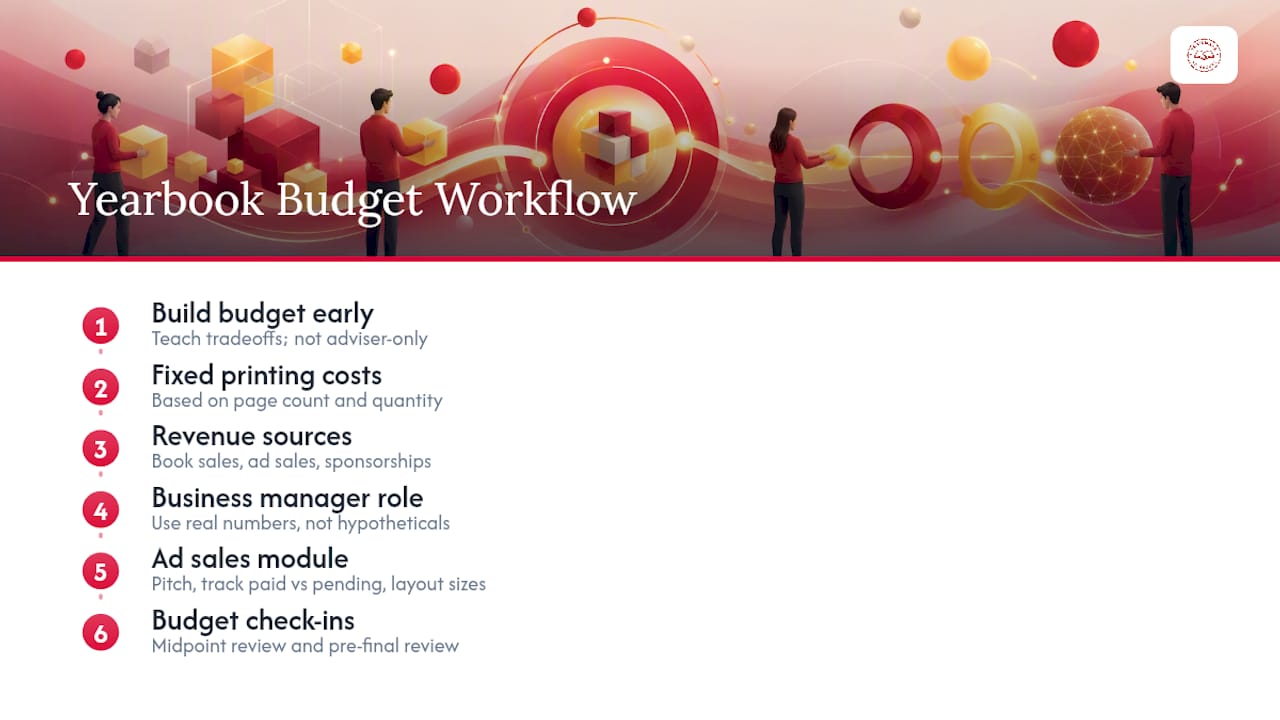
A basic budget unit should cover: fixed printing costs based on page count and quantity, revenue sources (book sales, ad sales, sponsorships), and how added pages or extra photo pages change the bottom line. Give your business manager role real numbers to work with, not hypothetical ones, so students see how a decision to add four pages actually moves the budget.
Ad sales deserve their own short module. Teach students to pitch local businesses, track which ads are paid versus pending, and build simple ad layouts that meet size specifications. This is often the first sales experience many students ever get, and it's a genuinely transferable skill.
A budget planning framework built into your curriculum resource pack keeps this from becoming a last-minute scramble in March when the printer's final invoice doesn't match what the staff expected. Tie budget check-ins to your pacing calendar (a review at the midpoint, another before final page count is locked) so students see funding as an ongoing responsibility, not a single lesson they forget by spring.
How Should Advisers Involve Parents and the Community?
Parents and community members are an underused resource in most yearbook programs, mostly because advisers don't build outreach into the curriculum as a formal step. Treating parent and community involvement as a planned unit, rather than something you handle reactively, changes the outcome.
Parent volunteers can help with ad sales outreach to local businesses, distribution day logistics, or even proofreading a final draft with fresh eyes before submission. A short letter home at the start of the year, outlining how parents can help and what the timeline looks like, sets expectations early instead of asking for help in a panic during production week.
Local businesses are a natural funding partner through ad sales, and involving students directly in that outreach (rather than having an adviser handle it alone) builds the sales and communication skills covered in the budget unit. Community organizations, booster clubs, and local newspapers can also serve as guest speakers or mentors for students interested in photography or writing as a career path.
Distribution day itself is a community event worth planning deliberately. Coordinating with front office staff, building a simple pickup system, and inviting families to a distribution celebration turns a logistics task into a moment that reinforces why the whole year of work mattered.
An Adviser's Honest Take on What Actually Saves Your Sanity
Modular design isn't just convenient, it's the difference between rebuilding your course every August and refining it. Once you have five or six solid modules, triage becomes simple: teach the skill units early, protect production weeks fiercely, and let anything non-essential slide first.
Small fixes prevent most crises: a shared drive with a real naming convention, a printed proofing checklist taped to the wall, a standing Friday deadline check. None of it is glamorous. All of it works.
Mentor two or three student editors deeply rather than managing forty students evenly. Quality control scales through people you trust, not through you checking every spread yourself.
— Jace
Where to Find Ready-Made Yearbook Curriculum Documents
If you're starting from scratch, don't build every module from a blank page. Several established documents give you a working starting point:
- TITLE Publications I & II, a comprehensive guide covering theme, content, copy, design, and finance with appendix forms
- CFISD's Advanced Journalism-Yearbook outline, a full unit-by-unit district course scope
Start with whichever document matches your course length, then verify it against your own district's credit and standards requirements before you commit to a semester of lesson plans.
Sources
- High School Yearbook Curriculum (Board-approved summary)
- TITLE Publications I & II: Yearbook curriculum guide (ERIC)