
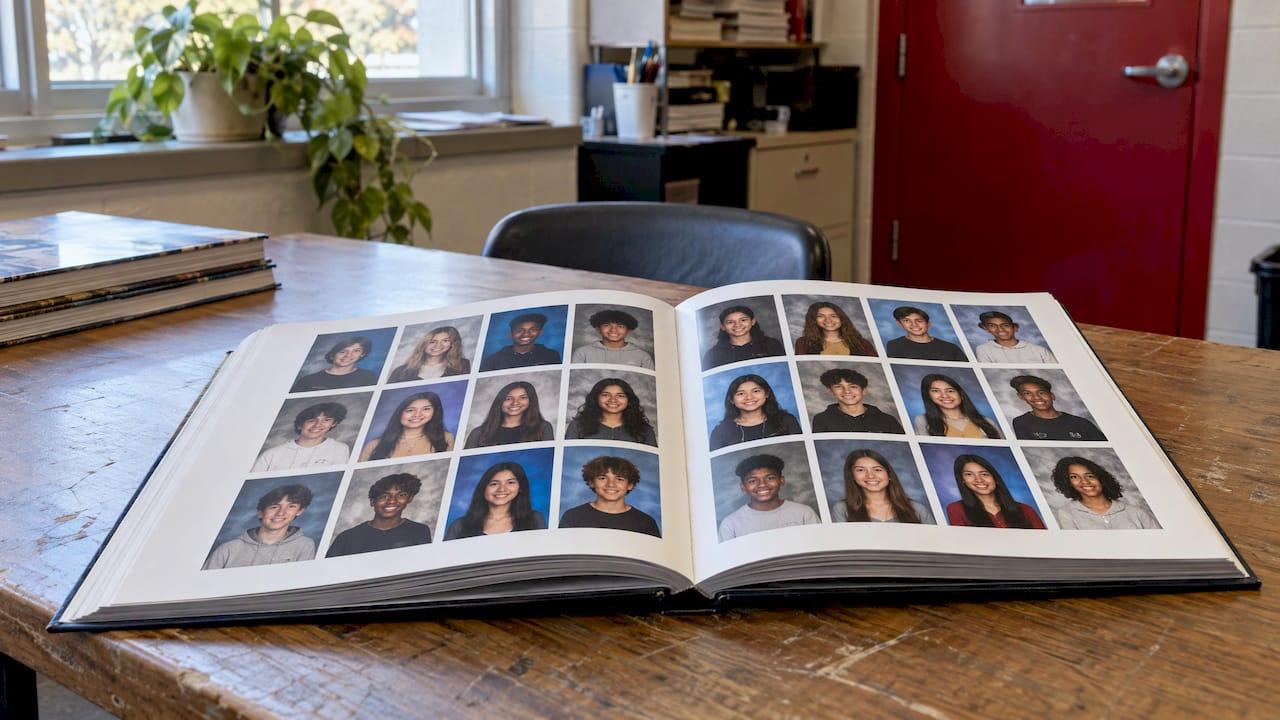
Portrait backgrounds mismatch because the photos come from more than one setup: a different backdrop on retake day, an alternate studio for seniors, a transfer student's old school photo, a hallway shot taken when the studio was not available. The fix has two parts. Decide the rule before the photos arrive, then check every portrait page against that rule before you submit. We build our yearbook process around giving advisers that checkpoint, with a dedicated adviser, free design assistance and a proof stage before anything prints.
TL;DR
- Mismatches come from mixed sources: retake day, alternate photographers, transfers and fill-in shots. A grid of 20 to 30 portraits makes every variation visible.
- Write a background spec (color, framing, 300 ppi, vertical crop) and send it to every source before photos are taken.
- Retake when the background is distracting or the photo is outside the spec. Edit only when the face, hair and edges will survive it.
- Proof the portrait page, not just the names. Check backgrounds, head size and alignment after the photos flow into the layout.
- Set one replacement rule for retakes so the new photo replaces the old one everywhere.
Table of Contents
- Why portrait backgrounds stop matching
- Step 1: Write the background spec before picture day
- Step 2: Control retake day
- Step 3: Spot mismatches in the proofing stage
- Step 4: Decide whether to retake or edit
- Step 5: Crop and size so the grid looks even
- Step 6: Catch it in a printed proof
- Where we come in
- FAQ
- Sources
Why portrait backgrounds stop matching
A portrait page is a grid. Readers do not look at one photo, they scan fifty at a time, so a single navy square among gray ones reads as an error. The yearbook critique scorebook used by the Columbia Scholastic Press Association grades whether head sizes and backgrounds are reasonably consistent on portrait pages, and whether backgrounds distract from faces. Judges look for it because readers see it.
In practice, mismatches come from a handful of places:
- Retake day. The studio is often set up in a different room, with a different backdrop, or by a different crew. Kepla's volume school photography workflow notes that retake day is where matching most often breaks, because the discipline of the main picture day has worn off.
- Alternate photographers. Seniors often bring in portraits from an outside studio. Without a spec, you get every color of backdrop.
- Transfer students and late arrivals. They may send a photo from a previous school, or get photographed in a hallway or classroom corner.
- Backdrop drift. Wrinkled or shifted backdrops, and uneven lighting across a long day, change the tone from one student to the next.
- Optional photo backgrounds. Some districts offer parents a choice of backdrop. Wentzville, Missouri solves this in its Board of Education memo: the district photographer shoots fall portraits against gray for the yearbook, and green screen is used only for optional parent-purchased backgrounds, so the yearbook file keeps the traditional gray.
The Wentzville approach is worth copying in spirit. The yearbook file and the parent-purchase product are different jobs, and they should not share a backdrop.
Step 1: Write the background spec before picture day
Most mismatches are decided before a camera comes out. A written spec turns "please send a nice photo" into something a photographer can follow. Good public examples show what to include.
Natick Public Schools' senior requirements ask for a solid, non-distracting backdrop. Any single-color studio backdrop is acceptable, outdoor shots are not, and the yearbook office reserves the right to request an alternate photo if a background is too distracting. Files must be a 2:3 ratio at 300 dpi or better, at least 800 x 1200 pixels.
Kingsway Regional School District is stricter. Its alternate studio page requires portraits to match the official light blue background, as a color vertical head-and-shoulders shot at 300 ppi or higher, and says photos with different backgrounds are not acceptable as formal yearbook portraits.
Your spec should answer these questions in one page:
- Background: one named color or "any solid single-color studio backdrop"? The first is stricter and gives a more uniform page. The second is easier for families.
- Framing: head-and-shoulders or just above the waist, vertical orientation, same eye level where possible.
- File: ratio, minimum pixels and 300 ppi. If you need a refresher on why, our guide to yearbook photo resolution covers it. Resolution for yearbooks and magazines is generally set at 300 PPI, according to professional prepress guidance.
- What is rejected: outdoor shots, busy or patterned backdrops, filters.
- Deadline and who to send it to.
Send the spec to your school photographer, every alternate studio and the office that handles transfers. Then send it again when retakes are scheduled.
Step 2: Control retake day
Retake day is where good plans leak. The volume feels small enough to handle by hand, so the routine slips. Kepla recommends starting every retake with the same QR card or student ID as the original, keeping retakes in their own collection with a recorded reason (absent, blink, parent request, wardrobe, technical), and marking superseded frames in the archive.
For advisers, that translates into three requests to the photographer:
- Use the same backdrop, lighting and camera distance as the main day, or confirm in writing that the setup is matched.
- Return retakes as a separate batch labeled with the reason, so you can see at a glance which portraits are new.
- Agree one rule: the approved retake replaces the original everywhere, including the yearbook file, unless your pages are already locked.
Wardrobe is part of retake-day consistency too. Students who return in a different outfit under the same backdrop still look cohesive, but clashing clothing against a backdrop color can pull the eye away from the face. A short note to families before retakes helps, and this guide to portrait wardrobe choices is a good one to share.
On the photography side, a two-light setup with a key light roughly 45 degrees to the side and slightly above the face, a fill on the opposite side, and optionally a third light on the backdrop, keeps the background evenly lit. Photographers who skip the backdrop light tend to produce the gray falloff that makes one student's background look darker than the next.
Step 3: Spot mismatches in the proofing stage
Advisers often proof portraits and portrait pages as one task. They are two. Proofing the portraits means checking name spelling, grade and homeroom assignments, and missing photos. Proofing the page means looking at the finished grid after the photos flow in: are backgrounds consistent, do they match your plan, and are the boxes, fonts and alignment right?
Here is a quick pass that works on a printed page or a PDF:
- Squint test. Zoom out until faces blur. Any square that stands out in color or brightness is a mismatch.
- Row test. Check each row against the one above. Retake photos tend to cluster at the end of an alphabetical group, so look there first.
- Head size test. A tighter or looser crop makes the face look larger against the same background. Check that heads are similar in size.
- Edge test. Look for halos, fringes or pale outlines around hair, which signal an earlier edit.
- Name test. Confirm names still sit to the outside of each photo and have not shifted when you replaced a photo. Our checklist for stopping name misspellings pairs well with this pass.
For the mechanics of getting photos into the layout without breaking alignment, see our portrait import runbook. If your grid itself is inconsistent, the yearbook grid system guide explains how to set it up. And for broader issues with sharpness and exposure, see common yearbook photo quality issues.
Step 4: Decide whether to retake or edit
This is the call advisers struggle with most, and there is no single rule. A useful way to decide is to ask three questions in order.
1. Is the photo inside the spec? If it is outdoors, patterned, cluttered or a candid, retake it or request an alternate. Natick's policy of asking for an alternate photo when a background is too distracting is a clear precedent. Editing a cluttered scene into a clean one asks a lot of the photo.
2. Is the problem only the backdrop color? If the student is well lit, in focus and cropped correctly, and only the backdrop differs, a background replacement may be reasonable. Plan to put every affected portrait on the same color, and keep that choice the same across the section. Mixing solid colors and gradients within one section recreates the problem you are trying to solve.
3. Will the edges hold up? Fine hair, hair accessories, sports equipment and glasses are where automated cutouts tend to fail. One photographer reported that background removal cut off hair bows, lacrosse-stick nets and tennis-racket strings, as described in a studio case study. If the student has any of these, a retake is the safer route.
A simple decision table helps your staff stay consistent:
| Situation | Best move |
|---|---|
| Outdoor, hallway or cluttered background | Retake or request an alternate photo |
| Correct framing, wrong backdrop color, clean edges | Replace the background and match the section color |
| Fine hair or accessories at the edges | Retake |
| Wrong crop, low resolution or soft focus | Retake; editing will not add detail |
| Student absent on picture day | Retake day, same setup as the main day |
| Transfer student with an old school photo | Ask for a new photo under your spec, or schedule a retake |
The rule that protects you is to be consistent. If you edit one student's portrait to match, any student in the same situation should get the same treatment. Also keep the student's appearance as photographed. Edits should change the backdrop only, never faces, skin, hair or clothing.
Step 5: Crop and size so the grid looks even
Even with identical backgrounds, uneven cropping makes a page look mismatched. Kepla's guidance is to crop once for the strictest product, leaving enough headroom and shoulder room for the tightest vertical yearbook crop. Keep crops non-destructive so each product can use its own.
A typical portrait-grid photo is small, around 1.5 x 2 inches, which works out to 450 x 600 pixels at 300 DPI. That is why consistent head position matters: a student with a lot of empty space above the head will look smaller than the student beside them. Apply the same crop rule to every portrait in a section. Our postage stamp photo playbook shows how photo box sizes affect readability on class pages.
Before you submit, run through our common yearbook design errors guide as a final check.
Step 6: Catch it in a printed proof
On-screen review hides things. Colors can look more similar on a monitor than they do on paper, and small background shifts show up when you flip through a bound proof. Our guides on the yearbook proofing process and handling printing proofs walk through what to look for.
If you want a physical check, our printed proof books are $100 for two copies, litho only, with shipping included, as listed on our printing price page. Hand one to your principal and keep one for the portrait page review.
Where we come in
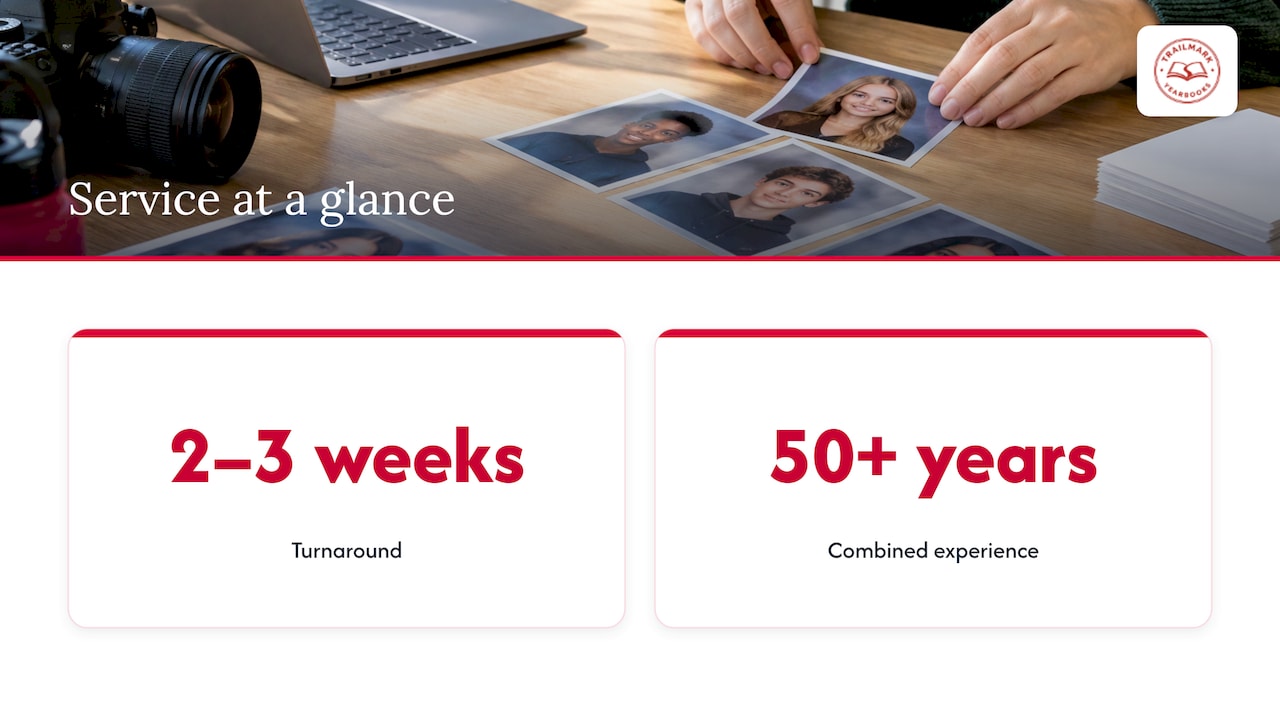
We designed the TrailMark process around the fact that advisers are busy and the last weeks before a deadline are when mistakes slip through. Schools get instant all-inclusive pricing online with no signup and no sales pitch, shipping included, and a 2 to 3 week turnaround with no order deadlines. That timing matters for portraits: if you spot a mismatched page, you are not fighting a fixed submission date.
You can build your pages in Canva, Adobe InDesign or our online creator, and design assistance is free. Each school has a dedicated adviser who can look at a portrait page with you. Schools that want us to handle layout can choose optional full-service design. See our yearbook production services for details.

For schools that work with a photography studio, we also run a photography studio partnership so the people taking the portraits and the people printing them work from the same specs.
Our view on mismatched portraits
Most background mismatches are not a design problem. They are a communication problem that shows up in design. The photographer shot what they were asked to shoot, the senior's studio sent what it usually sends, and nobody wrote the spec down.
That is why we push advisers toward a one-page spec and a proof of the portrait pages, not just the names. A yearbook is a record that students keep for decades, and a clean, even portrait section is one of the first things families notice.
We also built our process so that a late fix does not mean a missed date. With 2 to 3 week turnaround, no order deadlines and a dedicated adviser who knows your book, you can spend your time getting the portrait pages right instead of racing a cutoff. Our team brings over 50 years of combined experience to that work.
Jace
FAQ
Should every portrait have exactly the same background color?
Yes, within a section. Judges and readers expect consistency across a portrait grid, and the CSPA scorebook grades it. If you allow "any solid studio backdrop," expect some variation and decide ahead of time whether you will standardize in design.
Can we use the portrait if it was taken outdoors?
It depends on your spec. Many schools, including Natick, do not accept outdoor shots for senior portraits. If you accept them, keep them out of the main grid or request an alternate photo so the page stays even.
What file size should replacement portraits be?
Ask for 300 ppi at the size they will print. Natick, for example, asks for a 2:3 ratio of at least 800 x 1200 pixels. A smaller or compressed file will look soft even with a perfect background.
Who decides when a retake replaces the original?
Your yearbook staff or adviser should decide, and write the rule down. A common rule is that the approved retake replaces the original everywhere, including the yearbook file, unless the pages are already locked.
Sources
- CSPA yearbook critique scorebook
- Wentzville Board of Education memo
- Natick Public Schools senior requirements
- Kingsway Regional School District alternate studio page
- Preparing Images for Publications
- Kepla volume school photography workflow
- FOX-MAR studio case study
- Portrait wardrobe guide