

Flexible yearbook design tools are specialized software platforms that give school teams control over layouts, photo organization, collaboration, and printing without locking them into rigid, one-size-fits-all systems. The importance of yearbook design tools becomes clear the moment a student editor overwrites a classmate's work at 11 p.m. or a deadline slips because portraits had to be placed by hand. Platforms like Canva, Adobe InDesign, and Varsity Yearbook's eDesign each approach the problem differently, but the schools that finish on time and on budget share one thing: they chose a tool built for the job. This guide explains why flexible yearbook design tools matter and how to pick the right one for your team.
Why flexible yearbook design tools matter more than generic editors
Generic document editors were not built for yearbooks. They handle text and images well enough, but they have no concept of a portrait roster, a spread template, or a multi-editor workflow where 15 students touch the same file. The gap between what a generic editor can do and what a yearbook actually requires is where most projects fall apart.
Dedicated yearbook tools reduce time managing page layout and photo organization by automating key structural elements. That automation matters because a typical school yearbook runs 80–200 pages, each requiring consistent fonts, margins, and photo placement. Doing that manually in a general editor is not just slow. It is a reliable source of errors that show up in print.

Version control is the other critical gap. Lack of version control in multi-user environments causes collaboration conflicts that force teams to redo finished work. The classic scenario: two students edit the same spread on separate computers, one saves over the other, and an hour of work disappears. Dedicated platforms with real-time, non-blocking collaboration prevent that entirely.
Cloud access compounds the advantage. Cloud-based yearbook tools let teams work remotely and coordinate across devices and locations. For schools where students work from home, the library, or a classroom period, that flexibility is not a luxury. It is the only way to keep a distributed team moving at the same pace.
Pro Tip: Set up user roles and page assignments before your first editing session. Locking sections to specific students prevents accidental overwrites and removes the most common source of version conflict.
How do major yearbook design tools compare in flexibility?
The right tool depends on your team's size, skill level, and project complexity. Forcing a professional-grade platform onto a six-person student staff with no design background produces the same result as giving a beginner a manual-transmission car on a highway: stalled progress and frustration.
The best yearbook software aligns with the specific team size, skill level, and scale rather than offering just maximum features. That principle should drive every tool decision an adviser makes.
| Tool | Best for | Flexibility level | Learning curve | Collaboration |
|---|---|---|---|---|
| Varsity Yearbook eDesign | Large teams, complex projects | High | Moderate | Real-time, built-in |
| Canva | Small teams, beginners | Moderate | Low | Basic sharing |
| Adobe InDesign | Experienced designers | Very high | Steep | Manual file sharing |
| Trailmarkyearbooks online creator | Any school size | High | Low | Guided support |
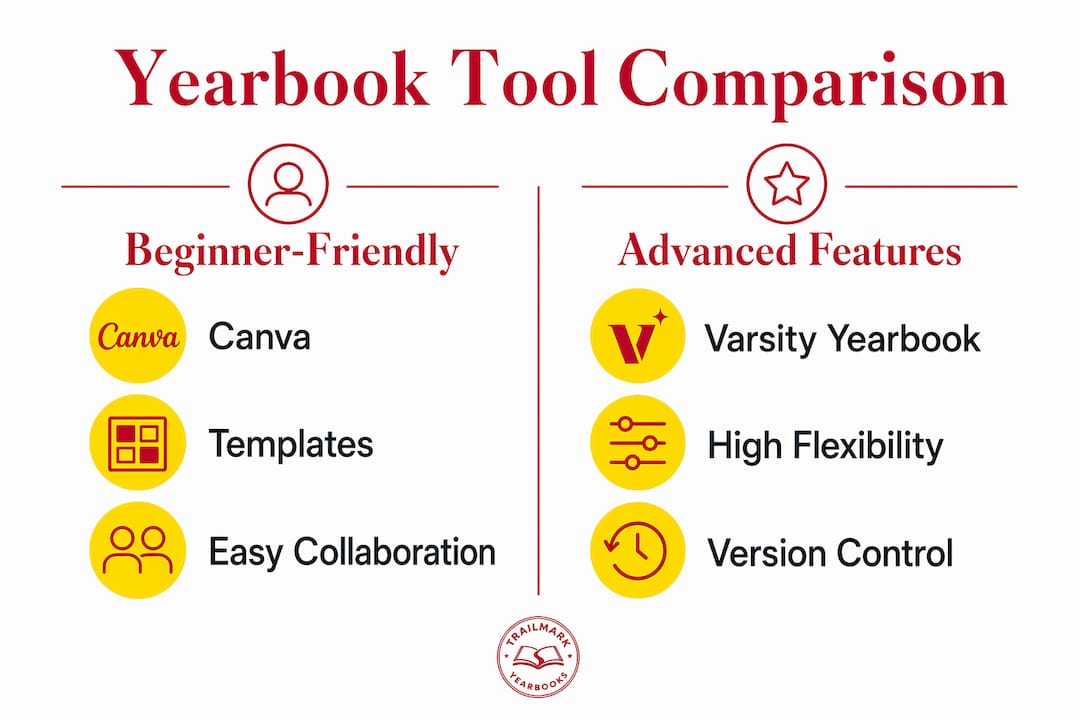
Canva provides beginner-friendly templates suitable for smaller or less complex projects, while Varsity Yearbook's eDesign supports larger teams with automation and tracking features. Adobe InDesign sits at the professional end: maximum design control, but a steep learning curve that can slow a student team to a crawl without an experienced adviser leading the charge.
Trailmarkyearbooks supports all three approaches. Advisers can submit files built in Canva, InDesign, or the Trailmarkyearbooks online yearbook creator, which means your tool choice does not lock you into a single printer or pricing structure. That printing flexibility is a direct financial benefit, not just a convenience.
Pro Tip: Run a one-week trial with your actual student team before committing to any platform. A tool that looks good in a demo can feel completely different when 12 students are editing simultaneously under deadline pressure.
What are the cost benefits of flexible yearbook design tools?
Rigid provider systems bundle design software with printing contracts. That bundling sounds convenient until you realize it removes your ability to shop for better pricing, adjust quantities, or change layouts without paying a change fee. Flexible design tools break that dependency.
Flexible design workflows enable schools to move away from costly rigid provider-locked systems toward custom printing models that cut overall expenses. The practical result: you print the quantity your school actually needs, not the minimum a large provider requires to run their press.
The budget advantages stack up across several areas:
- Quantity control. Custom yearbook printing allows small-batch orders and unique designs at competitive costs. Schools with 200 students do not need to order 500 copies to hit a price break.
- Layout efficiency. Flexible templates let advisers reduce page count without sacrificing coverage, which directly lowers per-unit printing costs.
- No change fees. Provider-locked systems often charge for late layout changes. Open design tools let you revise until submission without penalty.
- Competitive printing bids. When your files are not proprietary to one vendor, you can get quotes from multiple printers and choose the best value.
Understanding why yearbook price increases happen often comes down to exactly this: schools locked into a single vendor have no leverage. Flexible tools restore that leverage by making your design files portable.
How can advisers maximize creativity and meet deadlines?
The biggest creative mistake yearbook advisers make is treating templates as finished products. A template is a starting point, not a ceiling. The schools that produce the most visually distinctive yearbooks use templates to handle structure and spend their creative energy on photography, typography choices, and theme consistency.
Automation integrated with collaboration tools is the key factor in reducing stress and deadline burnout in student-led yearbook teams. The most time-consuming task in any yearbook is not design. It is portrait placement.
Most deadline failures occur because of manual drag-and-drop placement of hundreds of portraits. Automating the name-roster-to-portrait pipeline prevents fatigue and errors. Tools like Slides Create and platform-neutral spreadsheet integrations handle this automatically, freeing students to focus on spreads that actually require creative judgment.
A practical workflow for creative, on-schedule yearbook production:
- Lock your theme in october. Color palette, font choices, and section headers should be decided before any layout begins. Changes at the spread level are cheap. Changes to the theme at page 60 are expensive.
- Assign sections by interest. Students who cover the sport they play produce better spreads. Match assignments to enthusiasm, not just availability.
- Set internal deadlines two weeks early. Build a buffer for photo reshoots, absent students, and approval delays from administration.
- Use automation for portraits. Any tool that connects your photo roster to your layout software saves hours per grade level. Prioritize this feature when evaluating platforms.
- Review spreads in pairs. Two students reviewing each other's work catch more errors than one student self-reviewing. Build peer review into the schedule.
Pro Tip: Export a PDF proof of each completed section immediately after finishing it. Waiting until the full book is done to proof creates a backlog that always lands in the worst week of the semester.
Key Takeaways
Flexible yearbook design tools reduce errors, cut costs, and keep creative teams on schedule by matching software features to the real demands of school yearbook production.
| Point | Details |
|---|---|
| Automation prevents deadline failure | Automating portrait placement removes the single biggest source of fatigue and missed deadlines. |
| Tool choice must match team skill | Forcing advanced tools on beginner teams slows progress; match complexity to your staff's experience. |
| Flexible tools cut printing costs | Portable design files let schools compare printer quotes and avoid minimum-order contracts. |
| Version control is non-negotiable | Real-time collaboration features prevent the overwrite conflicts that destroy hours of student work. |
| Templates are a starting point | Use templates for structure, then apply creative energy to photography, typography, and theme. |
What I have learned from watching advisers choose the wrong tool
The most common mistake I see is advisers selecting a platform based on its feature list rather than their team's actual capacity. A tool with 200 features that your students use at 10% is not a flexible tool. It is a complicated one.
The advisers who produce the best yearbooks year after year tend to use the simplest tool that handles their specific bottlenecks. If portrait automation and version control are your two biggest pain points, those are the only two features that matter in your evaluation. Everything else is noise.
There is also a real trade-off between design freedom and guardrails. Experienced student teams benefit from open platforms like Adobe InDesign because the freedom produces better work. Newer teams benefit from guided platforms because guardrails prevent the kind of layout chaos that requires a full rebuild two weeks before the deadline. Neither approach is wrong. The error is applying the wrong one to the wrong team.
My honest advice: test your shortlisted tools in september, before the pressure builds. Give your student editors a real assignment on each platform and watch where they get stuck. The tool that produces the least frustration in a low-stakes test will produce the least frustration under deadline. That is the tool you should use.
— Jace
Trailmarkyearbooks: flexible design options built for school advisers
Trailmarkyearbooks gives advisers the freedom to design in Canva, Adobe InDesign, or the Trailmarkyearbooks online creator without locking you into a proprietary system. There are no hidden fees, no order deadlines, and shipping is included in every quote.

Advisers can request a sample yearbook to see the print quality firsthand before committing to anything. The adviser resources hub includes downloadable templates, planning guides, and direct support from a team with over 50 years of combined yearbook experience. If you want pricing without a sales call, Trailmarkyearbooks provides instant all-inclusive quotes online. No signup required.
FAQ
Why do flexible yearbook design tools matter for small schools?
Small schools benefit most because flexible tools eliminate minimum-order requirements and let advisers print only the quantity they need. That directly reduces per-student yearbook costs without sacrificing design quality.
What is the best yearbook design tool for beginners?
Canva is the most accessible starting point for teams with limited design experience, offering drag-and-drop templates that require no prior training. For teams that need more automation and collaboration features, a dedicated platform like Varsity Yearbook's eDesign is a stronger fit.
How does version control prevent yearbook errors?
Version control ensures that when multiple students edit the same file, their changes do not overwrite each other. Real-time collaboration features in dedicated yearbook platforms eliminate the most common source of rework in multi-editor teams.
Can flexible design tools reduce yearbook printing costs?
Flexible design tools produce portable files that any compatible printer can accept. That portability lets schools compare printing quotes and avoid being locked into a single vendor's pricing structure.
How early should advisers choose their yearbook design tool?
Advisers should select and test their tool in september, at least two months before serious layout work begins. Early testing reveals workflow problems while there is still time to switch platforms or train students without deadline pressure.