

Most people assume the yearbook index is just a boring alphabetical list tacked on at the back. It is not. Understanding what is yearbook index section is about recognizing one of the most used reference tools in the entire book. When a parent flips to the back searching for their child's name, or a graduate tries to find every page they appeared on, the index is what makes that possible. This guide covers what the index is, why it matters, how to build one efficiently, and how to design it so it actually gets used.
Table of Contents
- Key takeaways
- What is the yearbook index section and where does it go?
- Why the yearbook index matters
- How to create a yearbook index efficiently
- Design considerations for the index
- Making the index more engaging
- My honest take on the yearbook index
- How Trailmarkyearbooks can help you build a better index
- FAQ
Key takeaways
| Point | Details |
|---|---|
| Index is a reference tool | The yearbook index lists names and subjects alphabetically with page numbers for quick lookup. |
| Placement matters | The index typically appears at the back of the book as a structured concluding section. |
| Automation saves time | Modern yearbook software generates index entries from photo tags, cutting hours of manual work. |
| Space is a real tradeoff | Font size, school population, and staff inclusion all affect how many pages your index requires. |
| Creativity is allowed | Adding subject categories, color coding, and icons makes the index more engaging without sacrificing function. |
What is the yearbook index section and where does it go?
The yearbook index section is an alphabetically organized listing of every person, group, or subject featured in the book, paired with the page numbers where they appear. That definition sounds simple, but the index does something no other section does. It turns the yearbook into a searchable document rather than a book you have to flip through page by page hoping to find a specific face.
A standard yearbook is divided into six core sections: student life, academics, organizations, people, sports, and ads or index. The index typically lands at the back, where it serves as a natural conclusion to the content. Its position at the back gives readers a structured way to navigate content that would otherwise require a slow, page-by-page review.
What goes into a good index? More than just student names. A complete index commonly includes:
- Every student listed alphabetically by last name with all page references
- Faculty and staff names with their associated page numbers
- Clubs, organizations, and athletic teams as subject entries
- Major events like homecoming, prom, or graduation referenced by keyword
- Photo captions and story subjects that appear in feature spreads
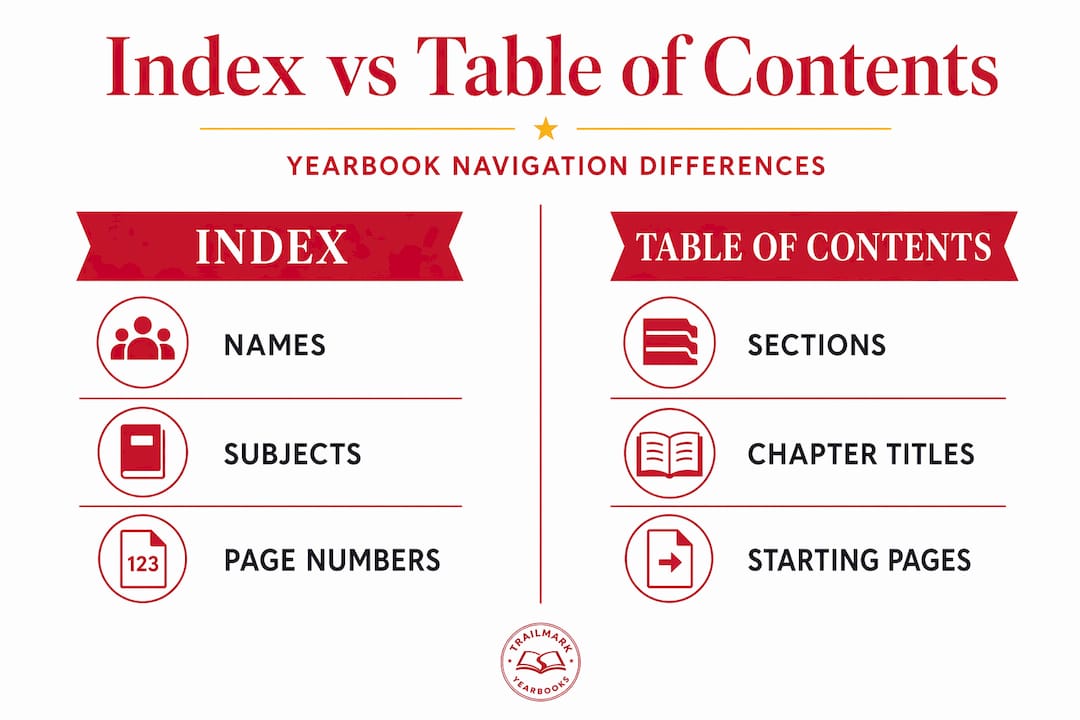
The index differs from what is a yearbook table of contents in an important way. The table of contents shows where major sections begin. The index shows where specific individuals and subjects appear throughout the book, often in multiple locations. Both serve navigation, but the index goes far deeper.
Why the yearbook index matters
The single strongest argument for including a yearbook index is usability. Readers can look up any name or keyword and find the exact page without scanning every spread. For a parent who buys the book to see their kid, that function is the whole point.
Here is a quick look at the practical tradeoffs advisers weigh:
| Factor | With an index | Without an index |
|---|---|---|
| Navigation speed | Fast, targeted lookup | Slow, requires page flipping |
| Space required | 2 to 6+ pages depending on school size | Zero pages, more room for content |
| Reader satisfaction | High for reference users | High for casual browsers |
| Production effort | Moderate with software, heavy manually | None |
| Completeness perception | Feels professional and finished | Can feel incomplete to families |
The case against including an index is less about principle and more about tradeoffs. Some readers prefer flipping through pages rather than using a reference guide, and for a small school where everyone knows each other well, an index may feel unnecessary. There is also a valid argument that an index can reduce the spontaneous joy of discovering an unexpected photo.
That said, the importance of yearbook index sections grows with school size. A senior class of 80 students is navigable without one. A school of 1,200 students is not.
Pro Tip: If you are on the fence, consider a partial index. List students only, exclude staff, and use a smaller font to limit it to two pages. You get the core benefit without sacrificing significant page real estate.
How to create a yearbook index efficiently
Not long ago, building an index meant a student editor manually reviewing every page, writing down every name, and sorting entries by hand. That process took days and was prone to errors. Modern yearbook software tools have changed the workflow entirely.
Many yearbook companies now offer software that generates the index automatically after editors tag photos, similar to how social media platforms tag people in images. Here is how that process works in practice:
- Set up your name database. Import your student roster into the yearbook software at the start of the year. This becomes your master list and prevents spelling inconsistencies.
- Tag photos as you build each spread. Every time a student appears in a photo, tag them before moving to the next page. Tagging in real time prevents a backlog at the end.
- Include non-photo references. When a student is mentioned by name in a caption or story, add a manual tag or notation so that page appears in their index entry.
- Generate the index. Once all spreads are complete, the software creates the index from tags automatically, sorting entries alphabetically and listing every page number.
- Audit for accuracy. Run through the generated index and cross-reference at least a sample of entries against actual pages. Catch duplicates, misspellings, and missed tags before the file goes to print.
- Lock and format. Once verified, format the index pages to match the book's design system. Adjust font size if the index runs longer or shorter than your allotted space.
Creating the index involves listing all names alphabetically with page numbers, including people tagged in pictures and potentially additional subjects. The tagging step is where most errors originate. A name tagged inconsistently, "Smith, J." in one place and "John Smith" in another, creates duplicate entries or missing references.
Pro Tip: Assign one editor as the index manager for the entire year. That person sets naming conventions on day one, audits tags monthly, and owns the final verification. Distributed responsibility almost always leads to inconsistencies.
Design considerations for the index
A good yearbook index section is readable, space-efficient, and visually consistent with the rest of the book. Getting there requires a few deliberate decisions up front.

Font choice shapes everything. Smaller fonts let you fit more names per column, but they hurt readability for older readers. Most advisers land between 7 and 9 point type for index entries. Anything below 7 point becomes genuinely difficult to read, even for students. Balancing index size against the space available for photos and content is one of the more practical layout decisions you will make.
Here are the main design variables worth planning before you start:
- Column layout. Two or three columns per page is standard. Three columns pack more entries but require a smaller font.
- Staff inclusion. Adding faculty and staff can add a full page to your index. Decide early whether they are in or out.
- Subject entries. Including clubs and activities entries under letter headings adds richness but also space.
- Graphic accents. A color bar, section divider, or small icon for each letter break adds visual interest without much space.
- Page allocation. Estimate your index length before the book is complete by calculating total unique names times average lines per name.
The choice between a single-column and multi-column layout also affects how the index reads visually. A single column feels open but wastes horizontal space. Three columns feel dense but can accommodate a large school in four pages rather than eight.
For a more thorough look at how layout decisions affect the whole book, the guide on yearbook module design walks through space allocation across every section.
Making the index more engaging
The index does not have to read like a tax form. With a few low-effort choices, you can make it a section readers actually browse on purpose.
The most common upgrade is adding subject categories alongside the name list. Instead of only alphabetical student entries, you include headers like "Basketball, Varsity" or "Drama Club" with associated page numbers. This turns the index into a discovery tool, not just a lookup tool.
A few other ways to improve reader engagement:
- Add a student photo grid. Some advisers include small senior portraits alongside index entries for the graduating class, giving the section a visual anchor.
- Use letter dividers with color or graphic elements. A bold letter "M" with a colored background creates visual rhythm that makes the index easier to scan.
- Include a "Most Pages" callout. Highlight the five students who appeared on the most pages. It is a fun detail that students actually look for.
- Cross-reference events. An entry for "Spirit Week" that lists four page numbers helps readers find the full story across spreads.
- Keep consistent formatting. Bold last names, regular weight first names, and a consistent separator between name and page numbers reduce visual noise and speed up reading.
The goal with any creative addition is that it helps readers find things faster, not just look more interesting. If a graphic element slows down scanning, cut it.
My honest take on the yearbook index
When I look back at the yearbooks I have worked on and the advisers I have talked with over the years, the index consistently earns more credit after the book ships than it gets while being built. During production, it feels like the section nobody wants to own. After the book is in students' hands, it is the section that gets opened most at reunions and family tables.
What I have learned is that the index debate, to include or not, mostly goes away when you use tagging software from the start of the year. The manual version genuinely is painful. The automated version takes a fraction of the time and is far more accurate.
Here is the contrarian view I will stand behind: at very small schools, skip the traditional index and put that space toward a better closing spread. An index with 120 names is not adding meaningful utility. At schools of 400 or more, the index is not optional if you care about the book being used.
One thing nobody tells you is that involving students in index creation builds real organizational skills. The editor who manages photo tags and audits consistency is learning database logic and quality control. That is worth something beyond the yearbook itself.
The index is not the glamorous assignment. But the adviser who treats it seriously produces a book that families keep for decades instead of shelve after a week.
— Jace
How Trailmarkyearbooks can help you build a better index
Building a well-organized yearbook index does not have to be a production headache. Trailmarkyearbooks gives advisers and student editors the tools to tag, generate, and format an index without spending days on manual data entry. With flexible design options that work in Canva, InDesign, or the Trailmarkyearbooks online creator, you can build your index layout directly into the book with no separate formatting step.

If you want to see exactly what a professionally designed index section looks like before committing, request a sample and get a physical copy showing real index layouts across different school sizes. Or connect directly with a Trailmarkyearbooks rep who can walk you through the indexing workflow specific to your school's roster and page count. No sales pitch, no pressure. Just answers.
FAQ
What is a yearbook index section?
A yearbook index section is an alphabetical listing of student names, faculty, and subjects featured in the book, each paired with the page numbers where they appear. It functions as a reference tool, positioned at the back of the book, that lets readers find any person or topic without flipping through every page.
Where does the yearbook index appear in the book?
The index is placed at the back of the yearbook as a concluding section, making it easy for readers to locate after finishing the main content.
How do you create a yearbook index efficiently?
The fastest method is to tag every student in photos as you build each spread, then let your yearbook software generate the index automatically from those tags. After generation, audit a sample of entries for accuracy before the file goes to print.
How many pages should a yearbook index be?
Page count depends on the number of students, font size, and whether you include staff and subject categories. A school of 500 students typically needs two to four index pages using standard two or three-column formatting.
What is the difference between a yearbook index and a table of contents?
A table of contents shows where major sections of the yearbook begin. The yearbook index lists every individual page reference for specific names, groups, and subjects throughout the entire book, making it far more detailed as a reference tool.