
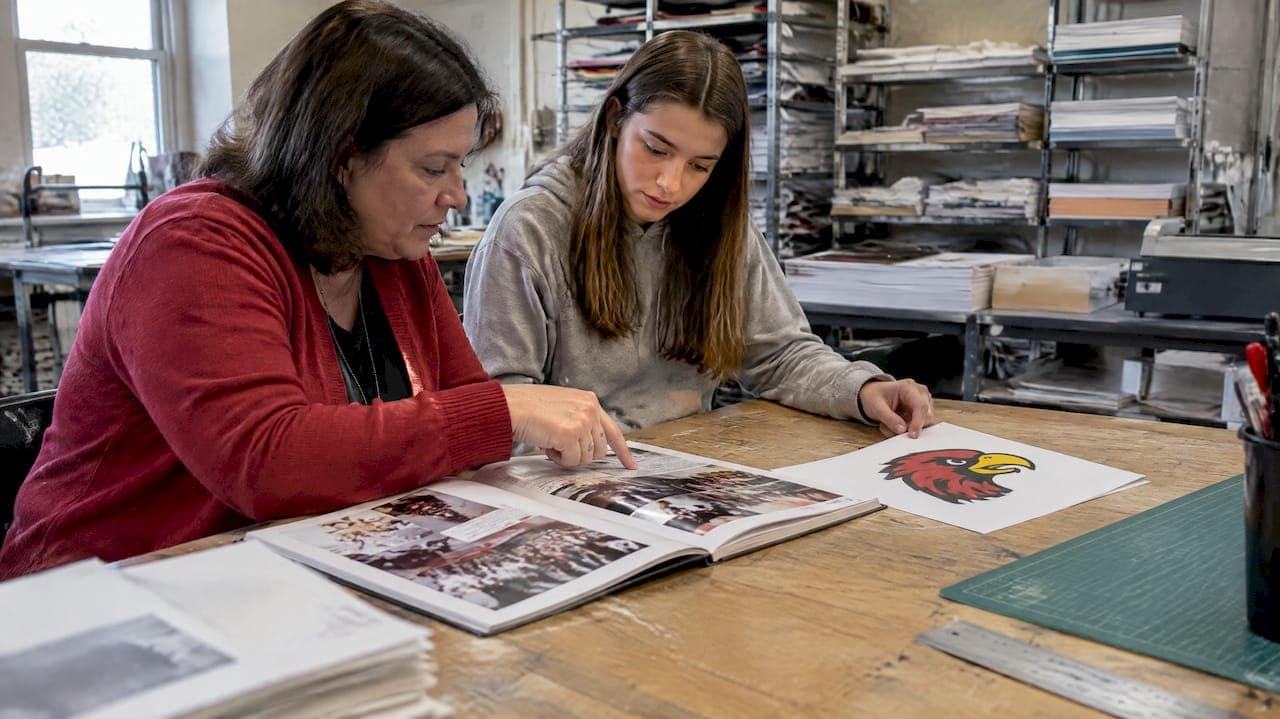
When a mascot change lands on your desk, freeze all content edits, run a full page-and-file audit, and confirm the district's approved new artwork along with a clear sign-off chain before anyone touches a spread. Success looks like this: the printed book contains no unauthorized or leftover old-mascot marks, and every proof carries the signatures of the people your district requires. TrailMark Yearbooks is one production resource that can help schools move fast once the artwork and approvals are locked.
TL;DR:
- Confirm district approval and finalize all mascot artwork files before beginning layout edits to avoid rework and ensure legal compliance.
- Prioritize editing high-visibility pages such as the cover, sports spreads, and senior portraits, and purge old mascot files from active workspaces to prevent accidental reintroduction.
- Use placeholders like banners or captions when final artwork isn't ready by page-lock, and verify all affected pages through a detailed, assigned page-by-page process.
- Route proofs through a strict approval chain, check color accuracy, embedded fonts, and removing unused assets, requesting physical proofs when possible before final printing.
- Communicate changes clearly to the entire yearbook staff and contributors, providing written guidelines and reminders to prevent old mascot images from slipping into current-year content.
Table of Contents
- Quick audit: find every instance of the old mascot
- Timeline and milestones to protect your print deadline
- Artwork specs and legal checks before you replace imagery
- A page-by-page process so nothing gets missed
- Proofing and quality control before the book goes to print
- Resources, templates, and where to get design help
- Telling your yearbook staff and contributors what changed
- What to do with old-mascot content already in the archive
- Updating digital editions and online platforms
- Briefing editors on sensitivity and the new brand
- Adviser note: what actually trips people up
- How TrailMark Yearbooks can shorten turnaround and ease the proofing load
- Where to check policy, legal, and implementation details
- Sources
- FAQ
Quick audit: find every instance of the old mascot
Before you edit anything, find everything. A mascot change touches more of the book than most advisers expect, and missed spots tend to hide in the pages nobody proofreads twice.
Start with the highest-visibility items, then work outward:
- Cover, spine, title page, and index entries that name or picture the old mascot
- Team spreads, club pages, senior ads, and any captions referencing team or club names
- Photo composites, scoreboards, and banners that show the mascot in the background
- Original art files (AI, EPS, PSD), exported images (JPG, PNG), font files, and shared design templates
- Captions databases, photo metadata, inside-back ads, social-media callouts, and email templates saved from prior years
Prioritize the cover, sports spreads, and senior portraits first, since these carry the most legal and reputational exposure. Lock each page once you've confirmed the edit so nobody accidentally reintroduces old art during later rounds.
Pro Tip: Purge old mascot artwork from your active project workspace entirely, and set up a separate, clearly labeled folder for approved new assets so no one can drag the wrong file into a page by mistake.
Timeline and milestones to protect your print deadline
A mascot change adds steps to a schedule that's usually already tight. Build the milestone chain backward from your print cutoff so nothing gets skipped under pressure.
- Confirm formal mascot approval through your district's process
- Receive final artwork files from the design team or agency
- Lock all affected pages for editing
- Complete the designer's first proof pass
- Route the proof to the adviser for review
- Secure sign-off from the communications office and administration
- Submit to the printer ahead of the cutoff
Fast paths with rapid design support can compress this into a few weeks; a standard path with committee reviews and multiple stakeholders often takes several weeks. If artwork approval slips past your page-lock date, use an approved placeholder, a sticker or patch workflow for printed books already in production, or an errata insert rather than delaying the entire print run. Notify your communications office, principal, booster clubs, and any photography partners as soon as a delay looks likely, not after it happens.
Artwork specs and legal checks before you replace imagery
Getting new mascot art into the book is a technical job as much as a creative one. Ask the district or design source for a complete file package before you start dropping artwork into layouts.
Required deliverables typically include:
- Vector master files in AI, EPS, or SVG format for clean scaling
- High-resolution raster versions at 300 dpi for photo-based placements
- Exact color values in PMS, CMYK, and HEX so print colors match across vendors
- Font files or fully outlined type so nothing shifts when the file opens on another machine
Confirm which version of the mark is approved for which use: primary marks, secondary marks, and single-color or mono versions each have their own clear-space and color rules under most district brand guides, which commonly prohibit altering the primary mark without communications office approval.
Trademark law limits how third-party marks can appear in print, and cover images receive the strictest scrutiny because they shape a buyer's sense of who produced or endorsed the book, according to yearbook legal guidance from the Student Press Law Center. That guidance also flags that a single dominant third-party logo on a cover is riskier than a layout using many small marks so none appears to carry an endorsement. When a photo includes another organization's logo on a uniform or banner, or when a design borrows elements from a rival school's art, get written permission before using it, or leave it out.
A page-by-page process so nothing gets missed
Assign ownership before anyone opens a layout file. Give the sports editor the athletics spreads, the clubs editor the organization pages, the photo editor the composites and candids, and keep the adviser as the final checkpoint. Record every assignment in a shared audit spreadsheet so you can see at a glance what's done, what's pending, and who owns it.
For each affected page, run the same sequence:
- Locate every instance of the old mascot on the page
- Replace it with approved new artwork, or a marked placeholder if art isn't ready
- Update captions and any embedded metadata that references the old name or mark
- Run a quick accessibility and color check against the brand guide
- Mark the page "verified" in the tracking spreadsheet
A few technical habits make this faster and safer. Use your caption database's find-and-replace function to catch every instance of the old mascot name in text, rather than hunting spread by spread. Toggle layer visibility on and off during QA rather than deleting layers outright, so you can confirm nothing old is hiding underneath before you flatten the file. Adopt a file-naming convention that makes it obvious which files are current, such as tagging outdated art with "ARCHIVE_DO_NOT_USE" in the filename, so no one accidentally drags a retired logo back into a layout.
Common page types need different handling. Sports spreads often require new uniform photography or retouching around scoreboards and banners, not just a logo swap. Club pages usually just need the club's own logo artwork replaced. Senior ads may only need a text mention updated, since most don't carry mascot art at all. Historical or retrospective pages are trickier: a caption might need a short contextual note explaining that the school's mascot changed in a given year, rather than a wholesale removal of the old image.
Pro Tip: When new artwork isn't ready by your page-lock date, use a neutral headline treatment and a clearly labeled placeholder badge rather than leaving the old mark in place. A caption reading "New mascot artwork coming soon" is safer than an outdated logo that slips through to print.
Proofing and quality control before the book goes to print
The proof stage is your last chance to catch remnant branding before it's permanent. Route every proof through the same chain every time: designer, then adviser, then communications office, then principal or district designee.
Before signing off, confirm:
- All fonts are embedded or outlined so nothing reflows at the printer
- Color profiles match the specified PMS, CMYK, or HEX values throughout
- No hidden layers or unused assets remain in the file, since older files can carry locked layers that alter print output
- Hyperlinks are stripped from any text meant for print only
- Bleed and safe zones are correct on every page that touches an edge
Request hard-copy proofs for the cover, any sports spreads, and pages you know were edited for the mascot change, since color and placement errors are far easier to catch on paper than on a screen. If an error slips through after printing, options include on-demand reprints of specific signatures, errata stickers for minor text fixes, or a selective reprint of the affected pages.
Resources, templates, and where to get design help
A handful of simple templates make this whole process faster to run and easier to hand off if staff change mid-year: a page audit spreadsheet, a page-assignment matrix, a proof sign-off form, and a small collection of approved placeholder artwork for pages waiting on final files.
- A page audit spreadsheet tracking every affected page, its owner, and its verification status
- A page-assignment matrix mapping sections to responsible staff
- A proof sign-off form recording each required approval by name and date
- An approved placeholder artwork set for use when final mascot art isn't ready by page-lock
TrailMark Yearbooks offers free design assistance and works across Canva, Adobe InDesign, and its own online creator, which lets schools keep working in whatever tool their staff already knows. For more on how mascot and school branding decisions ripple through layout choices, see the role of school branding in yearbook design, and for cover-specific decisions, see yearbook cover customization for advisers.
Telling your yearbook staff and contributors what changed
Student staff and volunteer contributors can't update what they don't know about. As soon as the mascot change is confirmed, hold a short briefing with everyone who touches the book, from section editors to parent volunteers submitting club photos.
Cover four things in that meeting: the exact name and visual identity of the new mascot, which files are now off-limits, where approved new artwork lives, and who to ask when something is unclear. Put this in writing too, not just spoken instructions, since staff turnover and missed meetings are common on a yearbook team.
A shared reference document works better than scattered emails. Keep it short: the new mascot name spelled exactly as approved, a link to the approved artwork folder, a one-line reminder that old files are archived and off-limits, and a contact name for questions. Pin it somewhere the whole team checks regularly, whether that's a shared drive, a project management board, or the same platform where you're tracking your page audit.
Contributors submitting outside photography, such as parent volunteers covering games or booster club events, need the same message in simpler form: don't submit or reuse anything showing the old mascot on uniforms, banners, or signage without flagging it first. Catching that at submission is far cheaper than catching it at proof stage.
Repeat the reminder at least once more midway through production, since new volunteers sometimes join after the initial briefing and section editors are often juggling several deadlines at once. A five-minute check-in at a staff meeting costs far less than reopening a locked page later.
What to do with old-mascot content already in the archive
Not every trace of the old mascot needs to disappear. Past yearbooks, historical spreads, and "through the years" retrospective pages are a different case from current content, and treating them the same way as this year's sports spread usually does more harm than good.
The general rule: content is retained as a historical record and removed or replaced when it's being presented as current. A retrospective page showing the school's mascot history across past decades can keep the old imagery, provided the context makes clear it's historical rather than active branding. A caption noting the year the mascot changed is often enough to keep that kind of content accurate and appropriate.

Current-year content is different. Anything in this year's book that implies the old mascot is still active, active team names, current club logos, this year's spirit wear, needs to be updated or removed, not archived in place. The distinction is between documenting history and misrepresenting the present.
For digital archives and past PDF editions hosted by your yearbook vendor or school, decide early whether those stay as-is (since they reflect their own publication year accurately) or need an added note clarifying the mascot has since changed. Most districts don't require altering already-published archives, but a short note on an archive landing page explaining the mascot's history can prevent confusion for anyone browsing old editions.
When in doubt on a specific spread, ask your communications office rather than guessing. Archival judgment calls are exactly the kind of decision that benefits from the same sign-off chain you're using for new content.
Updating digital editions and online platforms
If your school offers a digital or online edition of the yearbook, alongside the printed book, that edition needs the same mascot updates as the print files, plus a few considerations unique to digital delivery.
Start with the digital edition itself. If it's a PDF or flipbook version generated from the same print files, updating the print files and regenerating the digital version usually handles both at once, provided you regenerate after every content lock rather than reusing an older export. If the digital edition is built or hosted separately (a distinct online platform, a school app, or a portal), it needs its own audit pass since it may not automatically inherit fixes made to the print files.

Check any online yearbook ordering pages, preview images, or marketing materials tied to the current edition. A product preview thumbnail showing the old mascot on an ordering page creates the same kind of inconsistency as a missed print spread, and it's often the last place anyone checks. Also review any password-protected resource hub, parent portal, or school website page that displays sample spreads or cover art from the current book.
Social media is worth a separate pass. Posts announcing yearbook distribution, cover reveals, or "order now" callouts sometimes get scheduled weeks in advance using older artwork, and a post published after the mascot change goes public but still showing the old mark is a visible, easily avoidable error. Build a quick check into your communications calendar: before any yearbook-related post goes live, confirm the artwork matches the current approved mascot.
Briefing editors on sensitivity and the new brand
Student editors need more than a list of files to swap. A mascot change often comes with a reason, whether that's a licensing dispute, a community request, or a district-led rebranding effort, and editors benefit from understanding the context even in a brief, age-appropriate form.
A short briefing session works well here, separate from the technical training on where files live. Cover why the change happened in general terms, what language to use and avoid when referencing the old mascot in any retrospective content, and how to handle questions from classmates or contributors who ask about it. Editors are often the first point of contact when other students notice the change, and a little preparation prevents an offhand comment from becoming a bigger issue.
Pair that sensitivity briefing with the practical branding guidelines: the approved mascot name and spelling, which logo versions are cleared for which uses, and the district's required clear-space and color rules. Student editors don't need the full brand manual, but they do need enough to catch an obvious violation, like a stretched logo or an unapproved color variant, before it reaches a proof.
If your district's policy included a stakeholder survey or review process, such as the kind described in a district's mascot and logo change policy, sharing that context with editors helps them understand that the new mascot went through a formal vetting process, not just wasn't a spur-of-the-moment change. That framing tends to reduce pushback and confusion among the wider student body once the yearbook publishes.
Adviser note: what actually trips people up
The most common surprise isn't the cover, it's remnant branding buried in low-visibility spots: a scoreboard photo, a booster club banner, a font file nobody replaced. Late artwork versions and missing font files cause the second most rework. Getting stakeholder sign-off early prevents last-minute scrambles far more reliably than any checklist. Three things worth repeating to every team: purge old files completely, lock a page the moment it's verified, and always request a hard-copy proof before final print.
— Jace
How TrailMark Yearbooks can shorten turnaround and ease the proofing load
A mascot change adds real work to an already tight production calendar, and that's exactly the kind of pressure TrailMark Yearbooks is built to absorb. Design assistance can help resolve stretched logos or missing font files, and flexible file workflows support teams working in various design tools.
- Free design assistance to help resolve mascot artwork and layout issues quickly
- Compatibility with Canva, Adobe InDesign, and TrailMark's online creator, so no file gets orphaned mid-project
- A turnaround window that can help accommodate a late mascot approval without delaying your print date.
- Sample proofs may be available to check color and print quality before committing to a full run.
Handling a mascot change entirely in-house is possible, and plenty of schools do it. When the timeline is tight or the sign-off chain is dragging, requesting a sample is a low-pressure way to see how TrailMark's process fits your school's specific deadline before you commit to anything.
Where to check policy, legal, and implementation details
- A district mascot and logo change policy for how approval and stakeholder review typically work
- The Student Press Law Center's yearbook legal guidance on trademark and cover-image risk
- The NSPRA unified identity case study on phased district rollouts
- A district mascot-change process document outlining staged implementation steps
Sources
- School Colors, Logos and Mascots: JJK-R | Policy Details
- Yearbook Law FAQ - Student Press Law Center
- NSPRA case study: The Power of One — A Unified Identity
- Process for changing school site mascots (District implementation doc)
FAQ
How long does a yearbook mascot change usually take to complete?
A fast path with rapid design support can be completed in a few weeks once artwork is approved, while a standard path involving committee review often takes several weeks. The biggest variable is how quickly the district finalizes and delivers approved mascot artwork, not the production work itself.
What file formats do we need for new mascot artwork?
You need vector master files in AI, EPS, or SVG format for scaling, high-resolution raster versions at 300 dpi for photo placements, and exact PMS, CMYK, or HEX color values plus outlined fonts. Request all of these from your district's design source before starting layout work, not after.
Can we keep old mascot images in historical yearbook pages?
Yes, historical or retrospective content can generally keep old mascot imagery when it's clearly presented as a record of the past rather than current branding. Add a short caption noting when the mascot changed so the context is clear to readers.
Are there legal risks in using the old or new mascot on the cover?
Cover images receive stricter trademark scrutiny than internal pages because they affect how a purchaser perceives who produced or endorsed the book, according to the Student Press Law Center. Avoid a single dominant third-party logo on the cover, and get written permission before using any mark you don't have clear rights to.
Does TrailMark Yearbooks offer help with mascot artwork changes?
TrailMark Yearbooks provides free design assistance and works across Canva, Adobe InDesign, and its own online creator, which can help schools update mascot artwork without switching tools. Turnaround runs 2 to 3 weeks, which can help schools absorb a late mascot approval without missing their print date.