
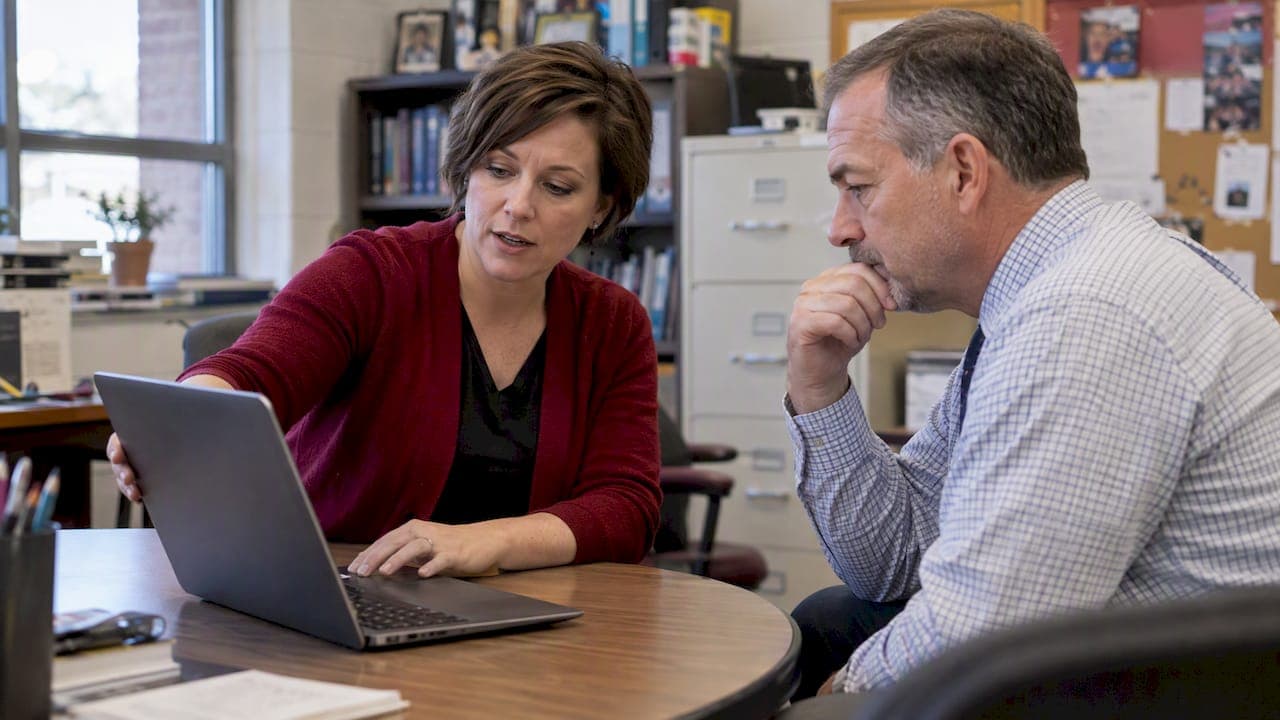
A yearbook digital supplement extends the print book with multimedia, searchable pages, and updates that continue after the print deadline passes. The best approach pairs print with a supplement that has clear access controls, whether password-protected or open to the school community, and an editorial workflow that assigns who builds, reviews, and publishes it. Prioritize media support, privacy controls, and that workflow before touching design.
TL;DR:
- Digital supplements should include multimedia features like videos and expanded galleries to provide value beyond print content.
- Privacy controls should be established early, with options for public, password-protected, or individual login access, and strict opt-out procedures.
- Clear roles and a phased workflow with proper asset management are essential to keep the project organized and ensure privacy compliance.
- Content updates should be ongoing throughout the year, with student involvement and accessibility features like alt text and video captions.
- Cost considerations include hosting, digitization methods, and platform choices that allow content export and easy management over time.
Table of Contents
- What a digital supplement is and when to choose one
- Key formats and features to include
- Privacy, permissions, and FERPA-ready controls
- Planning and workflow: timeline, roles, and the launch checklist
- Design and content ideas that add value
- Distribution, access models, and cost considerations
- Platform selection: what to look for in a digital-supplement tool
- Practical tips from TrailMark Yearbooks
- Advisor perspective: balancing permanence and student ownership
- How TrailMark can help
- Sources
- FAQ
What a digital supplement is and when to choose one
A digital supplement is not a full digital yearbook, and it is not a PDF of the print book posted online. A PDF replica is static: it mirrors the print pages and offers no search, no new content, and no way to add material after printing. A standalone digital yearbook, by contrast, is built as its own product, often with its own layout and pricing separate from the print edition. A supplement sits between the two: it adds to the print yearbook rather than replacing it, filling gaps print can't cover because of deadlines, page limits, or budget.
Advisers tend to reach for a supplement when:
- Spring sports, prom, or graduation happen after the print book ships to the printer.
- A season's photo gallery is too large to fit the printed page count without cutting content.
- Alumni or long-serving staff want access to historical yearbooks that predate the current platform.
- The program wants broader coverage without paying for extra printed pages.
The right scale depends on the school. A small elementary program with one adviser and limited IT support might stick to a single password-protected gallery page. A large high school with a dedicated yearbook class and IT staff can support searchable profiles, tagging, and a public-facing archive. Before choosing a format, ask how much time staff can realistically spend moderating content and whether the district's network can host media without slowing other services.
Key formats and features to include
Once you know a supplement makes sense, the next decision is what it actually contains. Most effective supplements combine a handful of proven formats rather than trying to build everything at once.
Common features worth planning for:
- Video montages and audio autographs: short clips from sports, performances, or signing day events, recorded once and embedded rather than re-shot each year.
- Embedded photo galleries: expanded versions of print spreads, organized by event or team.
- QR codes or short links printed in the book: placed next to a print spread to lead directly to the matching digital gallery, so a reader scans a code under a soccer team photo and lands on the full game gallery.
- Searchable student profiles and tagging: lets a parent or student find every photo a specific student appears in without scrolling an entire gallery.
- Lobby touchscreen or kiosk displays: a public-facing version of the archive, configured in kiosk mode so visitors can browse without reaching other parts of the site.
Digital yearbook platforms typically bundle this kind of media support, search, and access control into one package, which is what makes them function as a companion to print rather than a replacement for it. That combination, unlimited content capacity plus year-round updates, is the core reason schools add a supplement instead of just printing more pages.
Pro Tip: Treat the supplement as a living document. Add late-season highlights as they happen instead of waiting for a single annual upload, and the archive stays current without a year-end scramble.
Touchscreen kiosks placed in a school lobby need their own configuration. A public display should run in a restricted kiosk mode with limited navigation and no access to private contact information or unrestricted search, a precaution worth building into the plan before installation rather than after a complaint.
Privacy, permissions, and FERPA-ready controls
Privacy decisions should come before design decisions, not after. Three access models cover most school situations:
- Public access: open to anyone with the link, suited to general highlights with no identifying details beyond what already appears in print.
- Password-protected access: shared with the school community through a single password or code, a middle ground that limits casual public access while staying easy to distribute.
- Authenticated access: requires individual login, typically tied to school or district credentials, best for archives containing searchable student directories or detailed personal information.
FERPA-focused planning for yearbook platforms generally recommends role-based editing and section-level visibility so that student editors can manage their assigned sections without seeing or altering material outside their scope, and so a single moderator reviews anything before it goes live.
Opt-outs require special handling. District directory information policies determine whether students appear by default or must opt in, and advisers should confirm which model their district uses at the start of planning, since opt-in districts need extra lead time to collect permissions. If a parent has filed a directory-information opt-out, that student must be excluded from searchable digital directories and identifiable portrait galleries, even when the student still appears in group or candid shots.
Before publishing anything, confirm this paperwork is in place:
- Signed media release or consent forms covering digital use, not just print.
- Contributor agreements that grant the school distribution rights for photos and video submitted by students or parents.
- A published privacy policy page explaining what the supplement contains and how to request removal.
Pro Tip: Keep a simple spreadsheet tracking which students have opted out of directory information, and cross-check it against every gallery before publishing, not just once at the start of the year.
Planning and workflow: timeline, roles, and the launch checklist

A supplement works best when it follows a set timeline rather than getting built in a rush after the print book ships. A workable structure runs in five phases: plan, build, quality assurance, launch, and an annual refresh or audit. Planning covers access decisions and paperwork; building covers asset collection and page construction; QA covers privacy and device testing; launch is the public release; and the refresh phase revisits permissions and content each year rather than letting the archive run unattended.
Clear roles keep the project moving:
- Adviser: owns final approval, privacy compliance, and the publishing decision.
- Student editors: handle day-to-day content for their assigned sections under role-based permissions.
- IT or admin staff: manage hosting, login systems, and technical troubleshooting.
- Communications staff: coordinate how the supplement is announced to families and staff.
Asset management often breaks down quietly over multiple school years, especially when editors graduate and take file organization habits with them. A standardized naming convention, something like Section_Topic_Date, paired with a single shared cloud folder, prevents files from disappearing when a student editor moves on. Our guide to digital yearbook tools and workflow walks through naming and storage setups in more detail.
Before launch, run through a short QA checklist:
- Confirm every opted-out student is excluded from searchable galleries and directories.
- Test the supplement on a phone, a tablet, and a desktop browser.
- Check color contrast, alt text, and keyboard navigation for accessibility.
- Verify every QR code or short link in the print book resolves to the correct page.
Design and content ideas that add value
The digital format earns its place when it does something print can't, not when it just repeats print content online. Searchable profiles, tag-driven galleries, and rolling updates throughout the year give families a reason to check back rather than visit once.
Content ideas worth building into a supplement include creative ideas for senior year book photos, enhancing the visual impact of the digital format.
- Senior video tributes that run longer than a print caption could ever allow.
- Expanded team galleries covering every game, not just the handful that fit in print.
- Alumni timelines that connect past yearbooks to the current one.
- A searchable honors or awards list that updates as results come in through the spring.
Pro Tip: Ask one or two students to test the supplement on their own phones before launch. They'll find navigation problems a desktop review misses.
Accessibility deserves the same attention as privacy. A short checklist covers most of what matters:
- Add alt text to every photo and graphic.
- Caption video and audio content.
- Use readable color contrast for text over photo backgrounds.
- Confirm the site works with keyboard navigation, not just a mouse or touchscreen.
Distribution, access models, and cost considerations
How families reach the supplement matters as much as what's in it. Common distribution routes include a direct link shared by email or newsletter, an embedded page on the school website, a QR code printed next to the matching spread in the book, or a public archive page that lists every past year.
Cost depends heavily on scope. The main drivers are hosting and storage for video and photo files, any accessibility remediation needed after launch, and professional scanning if the school is digitizing older print yearbooks. A small supplement with a handful of galleries costs little beyond staff time; a full historical archive with video and searchable tagging across many years costs more, mainly in storage and scanning labor.
For digitizing existing print yearbooks, schools generally choose between two routes:
- DIY scanning and OCR: lower cost, requires staff time and a reasonably good scanner, works well for a handful of volumes.
- Vendor scanning and tagging services: higher cost, but handles large runs of back issues and often delivers a searchable archive with OCR text already applied.
Our guide to yearbook package types covers how a digital supplement pairs with different print packages if cost is the deciding factor on scope.
Platform selection: what to look for in a digital-supplement tool
Choosing a platform is less about flashy features and more about whether the school keeps control of its own content. A useful checklist for evaluating any platform:
- Role-based permissions so editors see only their assigned sections.
- Export and backup tools that let the school pull its own content out if it switches platforms later.
- Media handling that supports video, audio, and high-resolution photo galleries without heavy compression.
- Search and tagging for student names, events, and years.
- Basic analytics showing which pages get the most traffic, useful for planning next year's content.
Operationally, ask about bulk import tools for existing photos, how moderation queues work for student-submitted content, what support response times look like, and whether the archive can be exported in full if the contract ends. A vendor-neutral feature checklist covering permissions, exportability, and backups reduces long-term lock-in and keeps the school in control of its own archive rather than dependent on one vendor's hosting.
Before signing anything, confirm who owns the data, what the takedown process looks like for a removal request, and whether the vendor has committed to any student privacy pledge or vetting framework for handling student information.

Practical tips from TrailMark Yearbooks
A print production partner can take real weight off a digital supplement project, even without hosting the supplement itself. Some print production partners offer design assistance and compatibility with tools like Canva and Adobe InDesign, enabling files built for print to be adapted for digital use without starting over. Fast turnaround times for print production can prevent advisers from being stuck waiting on print while trying to finish a digital archive in parallel.
When evaluating any vendor, ask directly about export formats, access-control options, and what happens to files if the school needs a reprint or wants to re-host content elsewhere. A vendor that hands over clean, export-ready files reduces the manual cleanup work that otherwise falls on the adviser.
Advisor perspective: balancing permanence and student ownership
Student editors should write the supplement, not just populate it. Letting students pick what gets featured keeps the voice honest, but permanence changes the stakes: a yearbook never really gets revised once it's out. Setting a firm edit window before launch, documenting who approved each photo, and treating consent as a yearly renewal rather than a one-time form has saved programs from awkward removal requests down the line.
— Jace
How TrailMark can help
A print production partner can handle the print side so advisers have more room to build the digital supplement without a packed schedule working against them. Design assistance, flexible tools compatible with platforms like Canva and InDesign, and fast turnaround times can reduce production pressure that usually competes with digital work for an adviser's time.
If your program is weighing print finishes alongside a digital supplement, request a sample to see the paper stock and binding options in hand before deciding how to split effort between print and digital.
Sources
FAQ
How much does it cost to digitize a yearbook?
Cost depends on volume and method: DIY scanning with OCR software costs mainly staff time, while vendor scanning and tagging services charge for labor and often deliver a fully searchable archive. Hosting and storage for the resulting files add an ongoing cost separate from the one-time scanning fee.
Is there a way to access yearbooks online?
Yes, many schools post digital supplements or full digital archives online, accessible through a public link, a password-protected page, or a login tied to school credentials. The access model depends on district privacy policy and how much personal student information the archive contains.
Can you digitize a yearbook?
Yes, older print yearbooks can be scanned and processed with OCR to make the text and photos searchable, either through in-house scanning or a vendor service. The result is typically hosted as a browsable, searchable archive rather than a plain image file.
Is there a digital yearbook?
Digital yearbooks exist both as standalone platforms and as supplements that pair with a printed book, offering multimedia and searchable profiles that a printed page can't hold. Most schools use the digital version to extend coverage rather than replace the printed yearbook entirely.